Swipetimes › Time tracker


Swipetimes › Time tracker Summary
Swipetimes › Time tracker is a with in-app purchases Android app in Business by Leon Chiver. Released in Dec 2012 (13 years ago). It has about 215.9K+ installs and 4.2K ratings with a 4.67★ (excellent) average. Based on AppGoblin estimates, it reaches roughly 11K monthly active users and generates around $<10K monthly revenue (100% IAP / 0% ads). Store metadata: updated Mar 29, 2026, version 2354.
Recent activity: 7.1K installs this week (12.1K over 4 weeks) showing exceptional growth , and 1.00 new ratings this week View trends →
Data tracking: SDKs and third-party integrations were last analyzed on Mar 20, 2026. The app's network data flows (API traffic to/from the app and its SDKs) were last crawled on Jun 12, 2025.
Store info: Last updated on Google Play on Mar 29, 2026 (version 2354).
Swipetimes › Time tracker was last scanned for SDKs 2026-03-20. Below is the overview of third party companies detected in the app. The full list of raw SDKs, app permissions and unknown SDKs is available here.
 Kotlin
 Greenrobot
 Google
 Airbnb Engineering
 Firebase
4.67★
Ratings: 4.2K
Screenshots


App Description
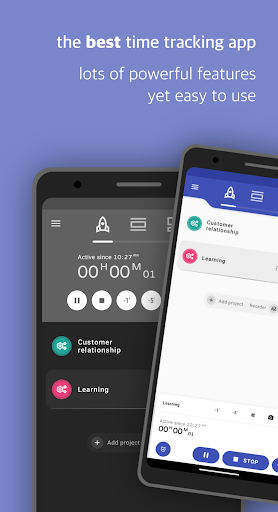
Project based time tracker, GPS tracking, NFC, reports and a lot more.
The best time tracker in the Play Store ™. Very versatile, yet simple and intuitive. The perfect time management app.
Track, organise and analyse your working hours in no time at all.
Keep an overview of your project times, overtime, holidays, sick or home-office days.
Whether you're an employee, freelancer, craftsman or student, whether you spend your time in the office, on the road or in the home-office,
you will always have an overview of your project hours. This is the only work time tracker you'll ever need.
The app doesn't require any kind of account, it's there to be used straight out of the box. Have fun!
Main features
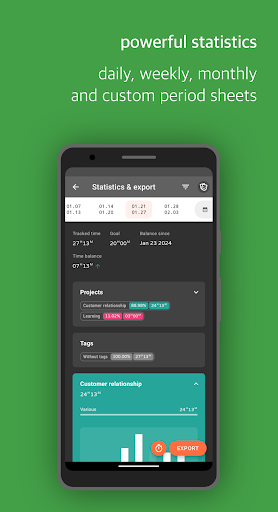
• Everything that is necessary for time and attendance recording: target and actual time, time account, overtime, vacation, sick days, public holidays, time sheets, Excel, PDF, CSV or XML exports.
• Automatic starting and stopping on workplace arrival or departure. By using your location, connected WiFi networks or NFC you can record times without having to operate the app.
• Project rates & income calculations based on your working time.
• Invoice management and printing.
• Subsequent recording and processing in case you have forgotten something or need to correct it later.
• Project and task focus: times are recorded on projects. Projects can have budgets and hourly rates.
• Categorisation of time entries using tags/labels.
• Various statistics
• GPS-based recording of journeys.
• Daily/weekly backups to SD card, Google Drive or Dropbox.
• Google Calendar Integration
• Powerful Excel, PDF, CSV or XML exports
All cloud-based features (Google Drive, Google Calendar, Dropbox) are optional. They can be used, but do not have to be.
Have fun!