Remote control for Roku TV


Remote control for Roku TV Summary
Remote control for Roku TV is a free, ad-supported, with in-app purchases Android app in Tools by LAMAI. Released in Jan 2026 (8 months ago). It has about 362K+ installs and 1.5K ratings with a 3.99★ (average) average. Based on AppGoblin estimates, it reaches roughly 31K monthly active users and generates around $<10K monthly revenue (63% IAP / 37% ads). Store last updated Aug 18, 2026
Recent activity: 6.5K installs this week (26K over 4 weeks) showing above average growth View trends →
Remote control for Roku TV SDKs Summary
App not yet scanned for SDKs.
3.99★
Ratings: 1.5K
Screenshots



App Description
Lost your Roku remote? Connect instantly via WiFi. No setup, no pairing needed!
Lose your TV remote again? You're not alone — and you don't need it anymore. 📱
Remote control for Roku TV connects to your streaming device in seconds over Wi-Fi. No pairing codes, no Bluetooth, no setup headaches. Just open the app and you're in control.
Trusted by 170,000+ users and growing every day.
🎯 WHY USERS SWITCH TO OUR APP
✦ Instant Connection — Auto-discovers your smart TV in under 3 seconds
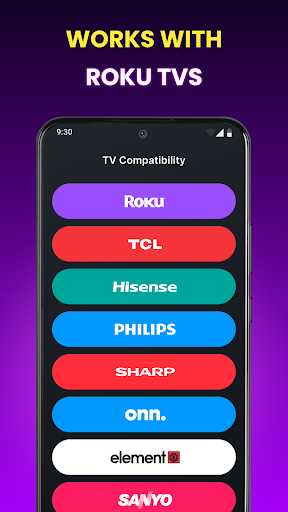
✦ Universal Compatibility — Works with streaming sticks, players, and compatible smart TVs (TCL, Hisense, Sharp, Onn, Insignia & more)
✦ Smart Keyboard — Type searches on popular streaming apps 10x faster than the physical remote
✦ Full Volume & Power — Control TV volume and power directly
✦ Smooth Touchpad — Swipe to navigate, just like your phone's screen
📺 REPLACE YOUR PHYSICAL REMOTE
Everything you need, right on your phone:
✦ D-pad navigation + intuitive touch controls
✦ Voice search — find shows hands-free
✦ Quick launch your favorite entertainment apps
✦ Play, pause, rewind — never miss a moment
✦ Home, back, and all standard navigation buttons
✦ Sleep timer for late-night viewing
✦ Works in portrait and landscape modes
🚀 UP AND RUNNING IN 3 TAPS
Connect your phone to the same Wi-Fi as your TV
Open the app — it finds your device automatically
Tap to connect. Done. Start watching!
No pairing codes. No complicated setup. No batteries to replace — ever.
💡 PERFECT FOR WHEN YOU...
✦ Can't find the physical remote (again!)
✦ Need to type a search quickly
✦ Want volume control without leaving the couch
✦ Manage multiple smart devices at home
✦ Need a backup remote that's always in your pocket
Whether you're binge-watching your favorite series or exploring new content — your control is now always with you.
Download Remote control for Roku TV and simplify your TV viewing today! 🎬
Disclaimer: This application is developed independently by LAMAI and is not affiliated with, authorized, or endorsed by Roku, Inc. All product names, trademarks, and registered brands mentioned are the property of their respective owners and are used solely for compatibility identification purposes.