SDR Touch - Live radio via USB


SDR Touch - Live radio via USB Summary
SDR Touch - Live radio via USB is a with in-app purchases Android app in Music And Audio by Signalware Ltd. Released in Jan 2013 (13 years ago). It has about 1.9M+ installs and 5.1K ratings with a 3.15★ (mixed) average. Based on AppGoblin estimates, it reaches roughly 35K monthly active users and generates around $<10K monthly revenue (100% IAP / 0% ads). Store metadata: updated Nov 8, 2025, version 59.
Recent activity: 1.8K installs this week (80.8K over 4 weeks) showing exceptional growth , and -3 new ratings this week View trends →
Data tracking: SDKs and third-party integrations were last analyzed on Apr 21, 2025.
Store info: Last updated on Google Play on Nov 8, 2025 (version 59).
SDR Touch - Live radio via USB was last scanned for SDKs 2025-04-21. Below is the overview of third party companies detected in the app. The full list of raw SDKs, app permissions and unknown SDKs is available here.
 Firebase
 Kotlin
 Google
 JetBrains
3.15★
Ratings: 5.1K
Screenshots
App Description
The most popular Software Defined Radio app for Android
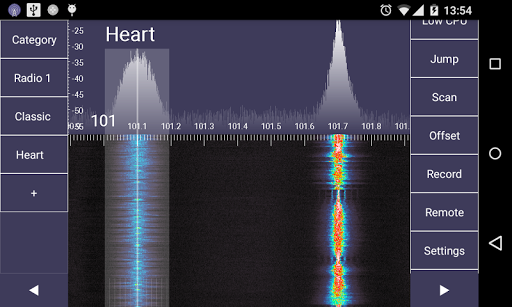
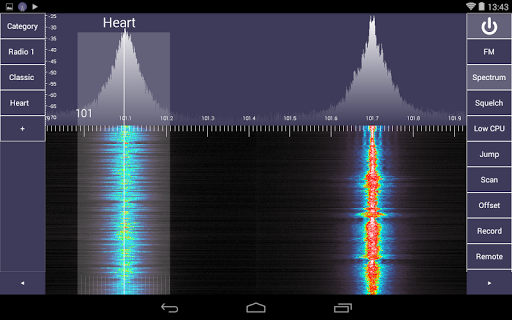
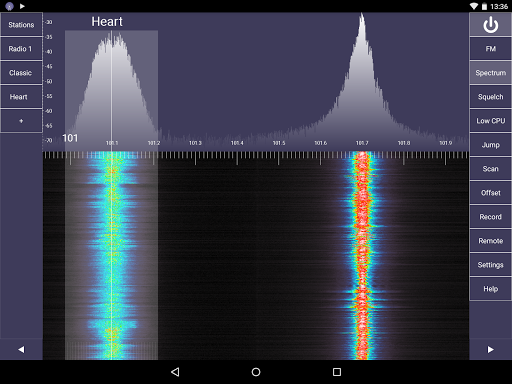
SDR Touch allows connecting hardware SDR receivers to Android via a USB cable. Turn any mobile phone or tablet with USB host/OTG support into a portable software defined radio scanner and a spectrum analyser. Driver support exist for RTL-SDR, NeSDR, SDRplay and HackRF.
Listen and record live over-the-air FM stereo radio stations with RDS, weather reports, emergency stations, taxi traffic, airplane communications, audio of analogue TV broadcasts, HAM radio amateurs, digital broadcasts and many more! Depending on hardware used, radio frequency coverage can span from 20 MHz to 2.2 GHz. SDR Touch demodulates broadcast FM, AM, narrowband FM, upper sideband (USB) and lower sideband (LSB) signals.
The built-in RDS monitor will allow exploring the hidden digital data feed that most commercial FM radio stations broadcast. This includes the station's program type (PTY), country of broadcast (ECC), date and time (CT), unique program identifier (PI), list of alternative frequencies (AF) and advanced statistics about the digital RDS carrier signal.
SDR Touch receives live radio via external USB hardware. The app runs offline and does not require a data plan or an internet connection! Take SDR Touch anywhere and find out what hides in the radio spectrum!
In order to run SDR Touch, you will need to plug your SDR receiver into the Android device using an USB OTG cable.
This application is currently experimental and may crash. Please, report any bugs to the email provided in the Help.
Using the open source SDR Driver, you can use one of the following compatible USB radio tuners:
- Generic RTL2832U RTL-SDR (e.g. hama nano)
- DigitalNow Quad DVB-T PCI-E card
- Leadtek WinFast DTV Dongle mini D
- Genius TVGo DVB-T03 USB dongle (Ver. B)
- Terratec Cinergy T Stick Black (rev 1)
- Terratec NOXON DAB/DAB+ USB dongle (rev 1)
- Terratec Deutschlandradio DAB Stick
- Terratec NOXON DAB Stick - Radio Energy
- Terratec Media Broadcast DAB Stick
- Terratec BR DAB Stick
- Terratec WDR DAB Stick
- Terratec MuellerVerlag DAB Stick
- Terratec Fraunhofer DAB Stick
- Terratec Cinergy T Stick RC (Rev.3)
- Terratec T Stick PLUS
- Terratec NOXON DAB/DAB+ USB dongle (rev 2)
- PixelView PV-DT235U(RN)
- Astrometa DVB-T/DVB-T2
- Compro Videomate U620F
- Compro Videomate U650F
- Compro Videomate U680F
- GIGABYTE GT-U7300
- DIKOM USB-DVBT