Daily Expenses 3


Daily Expenses 3 Summary
Daily Expenses 3 is a ad-supported, with in-app purchases Android app in Finance by Michel Carvajal (encodemx). Released in Oct 2013 (12 years ago). It has about 6.9M+ installs and 182.9K ratings with a 4.69★ (excellent) average. Based on AppGoblin estimates, it reaches roughly 34.4K monthly active users and generates around $<10K monthly revenue (27% IAP / 73% ads). Store metadata: updated May 23, 2026, version 375.
Recent activity: 701 installs this week (2.4K over 4 weeks) showing steady growth , and 12 new ratings this week View trends →
Data tracking: SDKs and third-party integrations were last analyzed on Apr 28, 2026.
Store info: Last updated on Google Play on May 23, 2026 (version 375).
Daily Expenses 3 was last scanned for SDKs 2026-04-28. Below is the overview of third party companies detected in the app. The full list of raw SDKs, app permissions and unknown SDKs is available here.
 Google
 Kotlin
 JetBrains IntelliJ
 JetBrains
 AdMob
AdMob Firebase
 Google Analytics
4.69★
Ratings: 182.9K
Screenshots
App Description
Improve control in your finances.
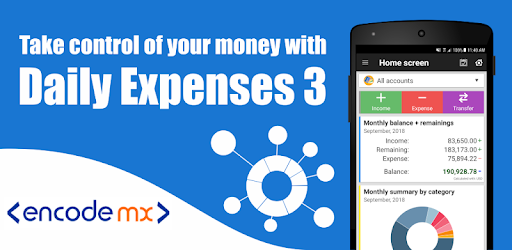
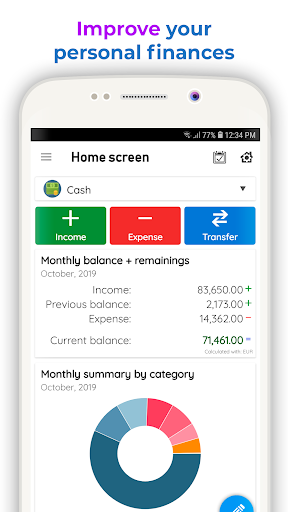
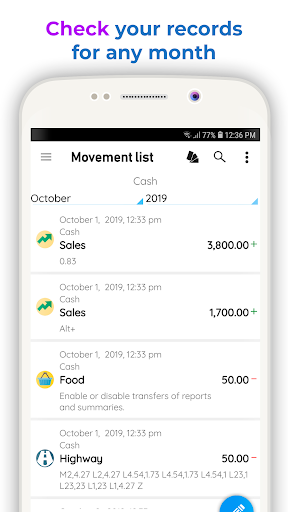
Daily Expenses is an application designed to organize your income and expenses, your movements of money are recorded by date, you can review the reports daily, weekly, monthly or yearly.
Organizing your expenses allow you to have a better control over your money.
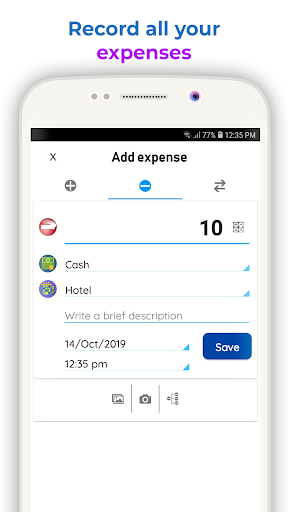
• Track your income and expenses , classify them by category .
• You can modify or delete the records that you have created.
• The application will show reports grouped by periods , along with your balance period.
• You can also schedule recurring records , so the application added by you that are repetitive movements in fixed periods.
• If you need it you can password protect your information .
• The application lets you create a backup of your database to restore your information if necessary .
• Available translations: Spanish, English, Portuguese, German, French, Russian, Chinese, Italian, Ukrainian, Indonesian, Korean, Catalan.
• Widget 3x1 with the summary of the month.
• Available reports: daily, weekly, biweekly, monthly and yearly.
• Create graphical reports
• Horizontal screen for tablets.
• Choose the currency format and the date format used in your country.