Business Calendar Pro


Business Calendar Pro Summary
Business Calendar Pro is a mobile Android app in Productivity by Appgenix Software. Released in Mar 2011 (15 years ago). It has about 624.1K+ installs and 34.7K ratings with a 4.26★ (good) average. Based on AppGoblin estimates, it reaches roughly 1.8K monthly active users . Store metadata: updated Aug 27, 2025.
Recent activity: 2.00 installs this week (10 over 4 weeks) showing below average growth , and 5.00 new ratings this week View trends →
Store info: Last updated on Google Play on Aug 27, 2025 .
4.26★
Ratings: 34.7K
Screenshots

App Description
Professional calendar app for Google Calendar, MS Outlook & Exchange
Business Calendar Pro has everything you need in a calendar app: It provides an excellent overview of your appointments, it’s easy to use and it gives you powerful tools to create and manipulate your events.
★ "Our favorite calendar app on Android, due to its flexibility and ease of use." - Lifehacker 01/2014 ★
★ "One of the best Calendar Apps for 2014" - FastCompany ★
Features
▪ Quick Day View: for a fast overview of all events of the day
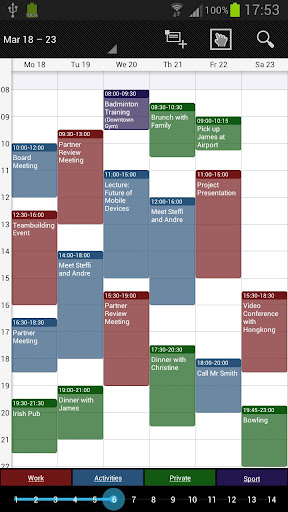
▪ Favorite Bar: for direct access to all your calendars
▪ smooth scroll and zoom: for better, intuitive interaction
Customization down to the last detail
▪ adapt all views & widgets to your liking
▪ individual reminders with vibration, sounds, repetitions, intervals, LED
▪ adjustable font sizes for the app & widgets
Details
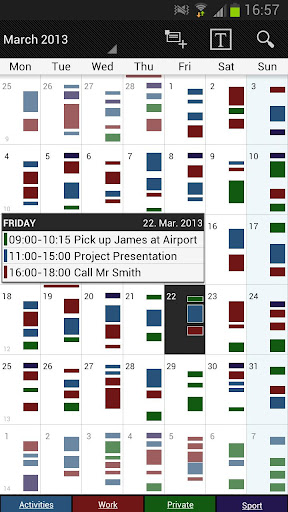
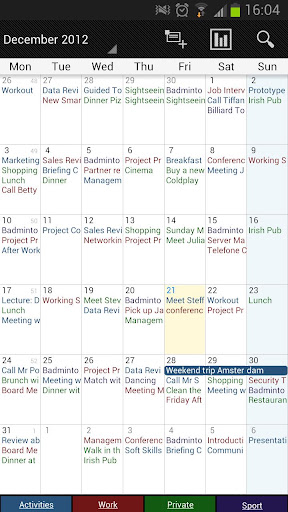
▪ month, week, day, agenda and event view
▪ color-coded year view
▪ scroll- and zoomable multi-day view (1-14 days)
▪ easy switching between timeline bars and event titles in month view
▪ search function
▪ sync your events with Google Calendar, Microsoft Outlook, Exchange etc. using the Android calendar synchronization
▪ professional widgets for month, week, agenda and day view
▪ intuitive handling: just move your finger over some days of interest in month view to open them in multi-day view
▪ many options for recurrent events (e.g. an event that takes place every other week on Tuesday and Thursday)
▪ birthday calendar
▪ context-sensitive help system to optimize your workflow
Additional features in this pro version
▪ manage contacts: link contacts to your events
▪ customizable templates: create your own templates for new events
▪ multi-selection: delete, move or copy multiple events at once
▪ drag&drop: move and copy events easily in the multi-day view
▪ tasks add-on: use the integrated task-management tool to sync with Google Tasks & Toodledo
▪ notifications: comprehensive reminder functionality
▪ app theming: light and dark theme for the app
▪ advanced widgets: set colors, font sizes and individual calendars
▪ import & export: quickly import or export all your calendars in .ics format
We also offer a free, ad-supported version of Business Calendar, which we kindly advise you to test for the functionality and the general workflow of the app! We hope that in the long t