PinSave Video - GIF Downloader


PinSave Video - GIF Downloader Summary
PinSave Video - GIF Downloader is a ad-supported Android app in Video Players by Kelomhmt Apps. Released in May 2023 (2 years ago). It has about 2.1M+ installs and 11.1K ratings with a 4.75★ (excellent) average. Based on AppGoblin estimates, it reaches roughly 106.8K monthly active users and generates around $<10K monthly revenue (0% IAP / 100% ads). Store metadata: updated Jan 28, 2026, version 21.
Recent activity: 26.9K installs this week (56K over 4 weeks) showing strong growth , and 48 new ratings this week View trends →
Advertising: AppGoblin detected 1.00 monetized ad creatives shown inside the app.
Data tracking: SDKs and third-party integrations were last analyzed on Mar 31, 2026. The app's network data flows (API traffic to/from the app and its SDKs) were last crawled on Oct 18, 2025.
Store info: Last updated on Google Play on Jan 28, 2026 (version 21).
PinSave Video - GIF Downloader was last scanned for SDKs 2026-03-31. Below is the overview of third party companies detected in the app. The full list of raw SDKs, app permissions and unknown SDKs is available here.
 Fyber
Fyber Google
 Digital Turbine
 Pangle
 Bumptech
 Greenrobot
 Unity
Unity AdMob
AdMob AppLovin
 Firebase
4.75★
Ratings: 11.1K
Screenshots

App Description
Save Pinterest videos and GIFs to your phone with Video Downloader for Pinterest
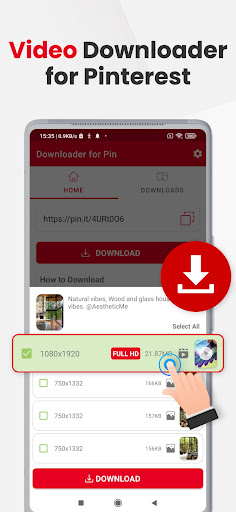
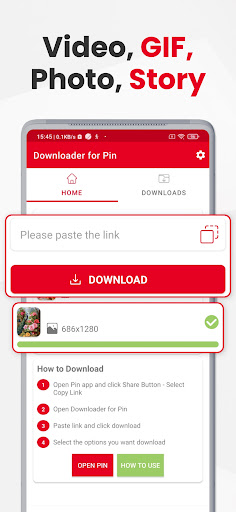
Are you tired of not being able to save your favorite pin videos and GIFs from Pinterest? Look no further than our Video Downloader for Pinterest app! This free Pinterest video downloader can help you quickly download high-quality videos from Pinterest, save Pinterest videos to albums and play them offline. Pinterest video downloader is designed specifically for downloading pin videos, GIFs, and photos from Pinterest, with support for different pin types like Carousel and Story.
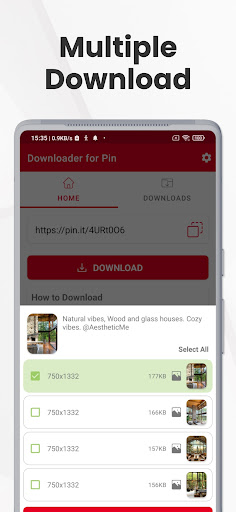
Download Pinterest Video also allows you to download videos in different formats, including HD and SD. You can download multiple videos at once, making it easier and more efficient to save pinterest videos all your favorite content. And with our built-in video player, you can easily play back any downloaded pinterest videos right within the app.
How to save videos from Pinterest?
Method 1
1️⃣ Open the Pinterest app, click on the share icon.
2️⃣ Click this Pinterest downloader app icon on the opened popup.
3️⃣ Select quality options you want to save with this Pinterest Downloader and click the download button.
Method 2
1️⃣ Open the Pinterest app, click on the share icon and click "Copy Link"
2️⃣ Open pinterest video download app and select quality options you want to save with this Pinterest Downloader and click the download button.
3️⃣ If you don't see download options popup then paste the link and click pinterest video download. Then Apply step 2.
If you're looking for a powerful and user-friendly Pinterest video downloader or Pinterest GIF downloader, look no further than "Video Downloader for Pinterest". Download now and start saving all your favorite videos and GIFs with ease!
The app also provides an advanced file manager that allows users to manage their downloaded files easily by renaming or deleting them as they wish. With Video Downloader for Pinterest, users can enjoy their favorite Pinterest videos, gifs, and photos offline, anytime and anywhere.
If you're looking for a Pinterest video downloader, search no further! Download Pinterest Video is the ultimate solution for all your video and gif downloading needs. With support for various pin types and different video formats, the app offers unparalleled convenience and ease of use. Whether you're looking to download multiple vi