Multi Floating Clock, Timer

Multi Floating Clock, Timer
Developer: spapptech
Category: Tools
50.1K installs
557 ratings
+132 weekly installs
trend steady
+1.5K monthly installs
trend steady
Multi Floating Clock, Timer icon

ASO Keyword Dashboard

Tracking 71 keywords for Multi Floating Clock, Timer in Google Play

Developer: spapptech Category: tools Rating: 3.09

Multi Floating Clock, Timer tracks 71 keywords (1 keyword ranks; 70 need traction). Key metrics: 0% top-10 coverage, opportunity 69.5, difficulty 51.8, best rank 144.

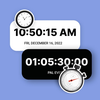
Set multiple floating clocks, timers, & stopwatches on screen and easy access

Tracked keywords

71

1  ranked •  70  not ranking yet

Top 10 coverage

0%

Best rank 144 • Latest leader —

Avg opportunity

69.5

Top keyword: respective

Avg difficulty

51.8

Lower scores indicate easier wins

Opportunity leaders

  • respective

    Opportunity: 73.0 • Difficulty: 43.6 • Rank —

    Competitors: 636

    68.5
  • clock

    Opportunity: 72.0 • Difficulty: 50.8 • Rank —

    Competitors: 796

    66.4
  • easy access

    Opportunity: 72.0 • Difficulty: 43.6 • Rank —

    Competitors: 448

    65.2
  • tasks

    Opportunity: 72.0 • Difficulty: 53.8 • Rank —

    Competitors: 1,715

    70.4
  • displayed

    Opportunity: 72.0 • Difficulty: 49.2 • Rank —

    Competitors: 886

    68.8

Unranked opportunities

  • respective

    Opportunity: 73.0 • Difficulty: 43.6 • Competitors: 636

  • clock

    Opportunity: 72.0 • Difficulty: 50.8 • Competitors: 796

  • easy access

    Opportunity: 72.0 • Difficulty: 43.6 • Competitors: 448

  • tasks

    Opportunity: 72.0 • Difficulty: 53.8 • Competitors: 1,715

  • displayed

    Opportunity: 72.0 • Difficulty: 49.2 • Competitors: 886

High competition keywords

  • time

    Total apps: 170,577 • Major competitors: 19,592

    Latest rank: — • Difficulty: 64.6

  • easy

    Total apps: 161,730 • Major competitors: 17,537

    Latest rank: — • Difficulty: 61.7

  • access

    Total apps: 126,428 • Major competitors: 11,667

    Latest rank: — • Difficulty: 66.6

  • using

    Total apps: 114,758 • Major competitors: 13,323

    Latest rank: — • Difficulty: 64.0

  • choose

    Total apps: 100,655 • Major competitors: 14,766

    Latest rank: — • Difficulty: 62.1

All tracked keywords

Includes opportunity, difficulty, rankings and competitor benchmarks

Major Competitors
hours prior701004754

1,471 competing apps

Median installs: 37,570

Avg rating: 3.4

151144

194

major competitor apps

top681006580

46,866 competing apps

Median installs: 46,978

Avg rating: 3.0

7,127

major competitor apps

change681005580

48,309 competing apps

Median installs: 42,177

Avg rating: 3.0

6,101

major competitor apps

easy641006289

161,730 competing apps

Median installs: 33,636

Avg rating: 2.8

17,537

major competitor apps

phone671006983

75,756 competing apps

Median installs: 37,780

Avg rating: 3.0

9,010

major competitor apps

clock721005166

7,715 competing apps

Median installs: 33,996

Avg rating: 3.3

796

major competitor apps

transparency711003859

2,706 competing apps

Median installs: 25,046

Avg rating: 2.7

231

major competitor apps

working711005673

18,347 competing apps

Median installs: 30,163

Avg rating: 2.8

1,742

major competitor apps

choose661006285

100,655 competing apps

Median installs: 46,844

Avg rating: 3.0

14,766

major competitor apps

using651006486

114,758 competing apps

Median installs: 37,480

Avg rating: 2.8

13,323

major competitor apps

option701005375

23,307 competing apps

Median installs: 32,883

Avg rating: 2.9

2,446

major competitor apps

time641006589

170,577 competing apps

Median installs: 33,133

Avg rating: 2.9

19,592

major competitor apps

lock711005772

15,690 competing apps

Median installs: 37,368

Avg rating: 3.1

1,917

major competitor apps

multiple671006282

58,884 competing apps

Median installs: 44,428

Avg rating: 3.0

8,314

major competitor apps

easy access721004465

6,566 competing apps

Median installs: 22,544

Avg rating: 2.7

448

major competitor apps

various671005883

74,125 competing apps

Median installs: 40,134

Avg rating: 2.8

9,464

major competitor apps

move701005975

25,275 competing apps

Median installs: 43,577

Avg rating: 3.1

3,641

major competitor apps

access651006787

126,428 competing apps

Median installs: 25,852

Avg rating: 2.8

11,667

major competitor apps

start661006285

88,254 competing apps

Median installs: 44,186

Avg rating: 3.0

11,840

major competitor apps

run701005774

21,776 competing apps

Median installs: 53,680

Avg rating: 3.1

3,447

major competitor apps

color691005577

30,080 competing apps

Median installs: 44,962

Avg rating: 3.2

4,272

major competitor apps

tasks721005470

13,160 competing apps

Median installs: 40,350

Avg rating: 2.9

1,715

major competitor apps

displayed721004969

10,597 competing apps

Median installs: 33,591

Avg rating: 2.7

886

major competitor apps

display701005775

23,879 competing apps

Median installs: 32,093

Avg rating: 2.9

2,298

major competitor apps

screen681006980

50,519 competing apps

Median installs: 38,965

Avg rating: 3.1

6,195

major competitor apps

71 keywords
1 of 3

App Description

Set multiple floating clocks, timers, & stopwatches on screen and easy access

Allocate and set movable multi floating clocks, timers, and stopwatches anywhere on the phone screen while working on other applications.

You can use the multitasking floating timers for cooking, sports, washing machine, exercise, study, work, gameplay, and while using other apps.

Easily operate multiple timers at a time. You can display it on the phone screen. You can independently start and run timers at the same time.

Assign the name for each clock, timer, and stopwatch, so it will be easy to recognize the timer allocated for which task. You can move the floating clock, timer, and stopwatch anywhere on the screen.

1. Floating Clock
- Add the multi floating clock with a name and description.
- Adjust the size, padding, radius, and transparency of multi floating clocks.
- Select the timezone for the clock.
- Enable the 12 hrs clock, display seconds, display date, and show battery.
- Select the desired attractive font style for text.
- Change the font color and background color.

2. Floating Timer
- Add the multi timer for various tasks along with its name and description.
- Set the size, padding, and radius of multi floating timers.
- Edit and set the timer as per desired.
- Enable show the hours, display milliseconds, and show the battery.
- Choose an attractive font style for text.
- Pick the desired font and background color for running & pause time.

3. Multi floating Stopwatch
- Add the multi-tasking stopwatch with the respective name and description.
- Set the size, padding, and radius for the multi floating stopwatch.
- Enable to display of the hours, milliseconds, and battery.
- Pick an attractive font style for text.
- Choose the desired font and background color for running & pause time.

Setting For Multi Floating Clock, Timer, Stopwatch App:

- Option to enable the screen ON
- Lock the floating position of Clock, Timer, and Stopwatch
- ON the timer sound
- Select the sounds from the collection
- Enable the default vibration

Easy to customize the clocks. You can operate multiple timers at a time and use them for multitasking purposes. Multi floating clocks, timers, and stopwatches will be displayed on top of all applications while you are working on other application.