How to Draw Graffiti 3D
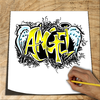

How to Draw Graffiti 3D Summary
How to Draw Graffiti 3D is a ad-supported, with in-app purchases Android app in Education by Let's Draw Studio. Released in Oct 2017 (8 years ago). It has about 933K+ installs and 1.8K ratings with a 4.15★ (good) average. Based on AppGoblin estimates, it reaches roughly 7.1K monthly active users and generates around $<10K monthly revenue (53% IAP / 47% ads). Store metadata: updated Sep 4, 2025.
Recent activity: 1.3K installs this week (5.4K over 4 weeks) showing steady growth , and 1.00 new ratings this week View trends →
Store info: Last updated on Google Play on Sep 4, 2025 .
4.15★
Ratings: 1.8K
Screenshots


App Description
Learn how to Draw graffiti 3D art step by step with multiple brushes and layers
How to Draw graffiti 3D is an excellent painting application which is imitating the real graffiti spray paint to Help you create Great graffiti drawings and it includes a large collection of drawings with easy-to-learn techniques, You don't need any special skills it’s self-teaching.
In simple steps allow you to perform fantastic graffiti drawings, choose the graffiti you like and follow step by step instructions.No limits!
Learn to Draw Graffiti and use our step by step illustrations to discover how to draw all sorts of Graffiti and build up your skills and confidence in the process, plus they are just good fun!
It is very satisfying to be able to draw something freehand. This learn to draw Graffiti takes you through, step by step, until you have your completed picture!
With this graffiti app you can create graffiti wallpaper. You can use highlight maker with graffiti style. Make hd graffiti wallpaper, use theme like Love and Hip Hop with random drawings.
★ EASY: you don't need any special skills, just start drawing
★ INTERESTING: try different styles of drawings
★ self-teaching: Each drawing is divided into a number of steps which are easy to draw
Main features:
✓ Draw creative Art using fun brushes and tools
✓ Zoom to paint fine details
✓ Continuous updates
EDITING TOOLS:
- Multiple brushes, pens, and pencils
- Draw with finger or stylus
- Eraser
- Color tool
- Pan and zoom
- Export or share as image
- Undo/redo
- Straight ruler and round ruler.
- Two-finger pinch to zoom in/out.
- Color picker.
- Multiple layer parameters
- Layers editor.