Turn Off Screen Pro


Turn Off Screen Pro Summary
Turn Off Screen Pro is a mobile Android app in Tools by NDT. Released in Aug 2017 (8 years ago). It has about 470+ installs Based on AppGoblin estimates, it reaches roughly 18 monthly active users . Store metadata: updated May 19, 2026.
Store info: Last updated on Google Play on May 19, 2026 .
0★
Ratings: 0
Screenshots


App Description
Lock the screen in one tap. Fingerprint unlock still works on next wake.
Turn Off Screen Pro is a small Android utility: tap the icon and the screen locks. No menus, no waiting.
Features
• One-tap lock from a home-screen icon.
• Two modes, switchable in Settings:
• Normal: standard Device Admin lock. The next unlock asks for PIN, password or biometric.
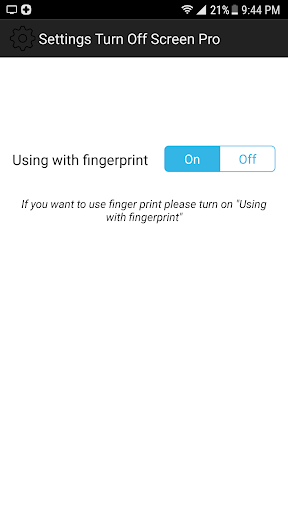
• Use with fingerprint: locks via Accessibility, behaving like a physical power-button press, so the fingerprint sensor still unlocks the device on the next wake.
• Localised into 20 languages.
• Tiny install size, under 1 MB. No ads, no in-app purchases, no account, no analytics, no third-party trackers.
Why this app Many Android phones temporarily disable fingerprint unlock after a Device Admin lock. If you lock the screen often, that means typing your PIN over and over. The "Use with fingerprint" mode triggers the same kind of lock the power button does, so fingerprint unlock keeps working.
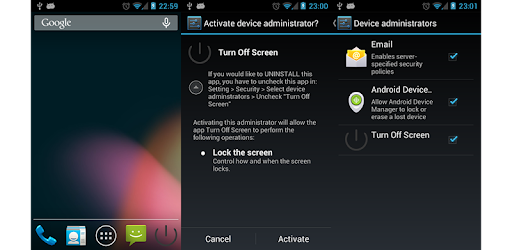
Setup The first launch asks for Device Admin permission. The app uses it only to lock the screen. For fingerprint mode, open Settings, choose "Working with fingerprint", then enable Turn Off Screen Pro under Settings - Accessibility. A clear in-app screen explains the permission before you grant it.
Permissions Device Administrator (required) to lock the screen. Accessibility (optional, only for fingerprint mode) to trigger the system lock action. The app does not read screen content, does not collect personal data, and transmits no data.
Uninstalling Settings - Security - Device admin apps - uncheck Turn Off Screen Pro, then uninstall normally.