Drawings and estimates


Drawings and estimates Summary
Drawings and estimates is a ad-supported, with in-app purchases Android app in Productivity by CallRec. Released in Oct 2024 (1 year ago). It has about 3.2K+ installs Based on AppGoblin estimates, it reaches roughly 137 monthly active users and generates around $<10K monthly revenue (27% IAP / 73% ads). Store metadata: updated Mar 18, 2025.
Store info: Last updated on Google Play on Mar 18, 2025 .
0★
Ratings: 0
Screenshots

App Description
Create blueprints, measurements, and project estimates quickly and easily
Drawings and Estimates is a tool for creating blueprints and calculating project estimates, suitable for professionals in construction, repair specialists, or experts in related fields. The app allows for quick and convenient measurements, drawing blueprints, and calculating estimates, which can then be exported in a convenient format such as PDF, JPG, or text for further use.
Blueprint Creation
Several methods for creating blueprints are supported:
• Rectangular - Create a blueprint by simply entering the length and width.
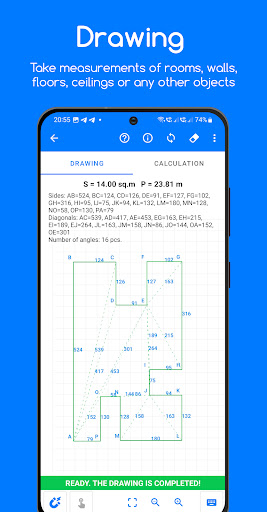
• Polygonal - Create complex shapes by specifying angles on the blueprint, and the app will automatically calculate the area and perimeter.
Measurements can be taken for rooms, walls, ceilings, floors, or any other objects.
Estimates
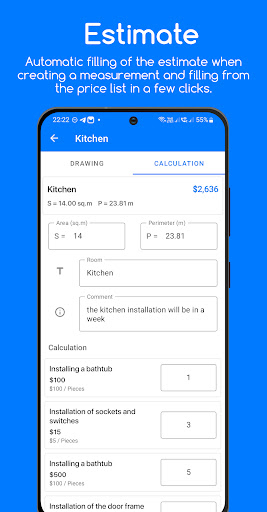
You can quickly calculate an estimate without a blueprint by simply entering the length, width, area, or perimeter. In each estimate, you can add a title, comments, as well as products and services from your price list. This makes the app a versatile tool for estimating project costs and materials.
Blueprint Tools
• You can create a blueprint by specifying points (corners) on the drawing. Points can be moved both during and after creation.
• For ease of use, the sides of the shape snap to right angles (this feature can be disabled).
Several drawing parameters can be configured:
• Auto-correction of the blueprint - When the lengths of the sides change, the blueprint adjusts to the specified dimensions.
• Calculate area without specifying diagonals - The area is calculated automatically without the need to draw diagonals.
• Automatic diagonal drawing - Diagonals are automatically created after the blueprint is completed. The lengths of the diagonals can be modified after their creation.
• Side length calculation - During the creation or modification of the angles, the length of the side is recalculated.
• Display of angles between sides and the ability to disable side dimensions.
• Zoom and move the blueprint for more convenience during drawing.
• The ability to specify the lengths of sides and diagonals.
• Display of side lengths, diagonals, and the number of corners on the blueprint.
Project Management
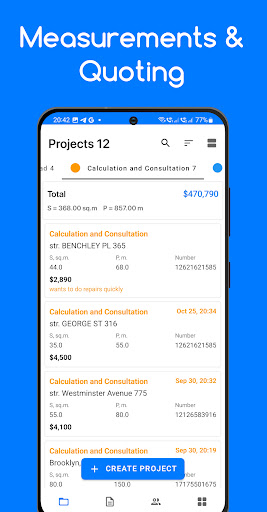
You can create projects and view general information on each: status, area, perimeter, and client contact details.
Key project management features:
• Project lists - A clear display of all projects with sorting, search, and grouping by stages. You can track the status, area, and perimeter of each project, as well as receive overall information f