WolfVision DocCam


41 installs
Ratings not yet available
3.00 monthly active users
Revenue not available
Install Trends
Monthly +4.00
SteadyWolfVision DocCam Summary
WolfVision DocCam is a mobile Android app in Tools by WolfVision GmbH. Released in Jul 2024 (1 year ago). It has about 41+ installs Based on AppGoblin estimates, it reaches roughly 3.00 monthly active users . Store metadata: updated May 8, 2025.
Store info: Last updated on Google Play on May 8, 2025 .
0★
Ratings: 0
Screenshots


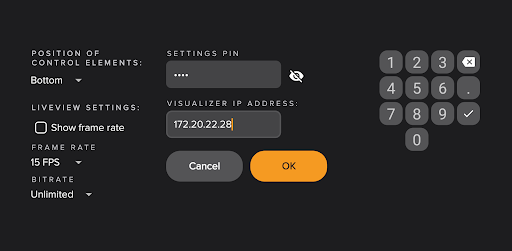

App Description
Enhance Visualizer Presentations: Easy Connection & Control
Introducing WolfVision DocCam
WolfVision's DocCam is a trailblazing solution designed to bridge the gap between WolfVision Visualizers / Document Cameras and interactive whiteboards, simplifying the connection and control processes through a single LAN network. This app facilitates effortless device integration.
Core Features:
- Simplified Device Integration: Connect your WolfVision devices to any interactive whiteboard using just one LAN connection, bypassing the hassle of complex setups.
- Direct Device Control: Adjust and control your document camera's settings directly from the interactive whiteboard, ensuring seamless presentation flow.
- Application Versatility: Whether for education or business, WolfVision DocCam supports a vast array of interactive whiteboards and is compatible with all WolfVision Visualizers and Document Cameras.
Benefits:
- Ease of Use: Designed for quick setup and intuitive use, reducing prep time and enhancing presentation quality.
- Engagement: Interactive annotations make presentations more engaging, improving comprehension and retention.
- Compatibility: Suitable for a wide range of environments and compatible with multiple devices, ensuring broad utility.
- Convenient Control: Offers a simplified approach to managing document camera settings, enhancing user experience.
How It Works:
- Ensure your WolfVision device and interactive whiteboard are connected via LAN.
- Start the WolfVision DocCam app on your interactive whiteboard.
- Engage your audience with live visuals and interactive annotations right from the whiteboard.