Notifications Reader - Voicify


Notifications Reader - Voicify Summary
Notifications Reader - Voicify is a ad-supported, with in-app purchases Android app in Tools by Gt0. Released in Mar 2022 (4 years ago). It has about 38.2K+ installs and 273 ratings with a 4.04★ (good) average. Based on AppGoblin estimates, it reaches roughly 1.6K monthly active users and generates around $<10K monthly revenue (39% IAP / 61% ads). Store metadata: updated Mar 12, 2023, version 13.
Recent activity: 64 installs this week (292 over 4 weeks) showing steady growth , and 2.00 new ratings this week View trends →
Advertising: AppGoblin detected 1.00 monetized ad creatives shown inside the app.
Data tracking: The app's network data flows (API traffic to/from the app and its SDKs) were last crawled on Dec 20, 2025.
Store info: Last updated on Google Play on Mar 12, 2023 (version 13).
4.04★
Ratings: 273
Screenshots

App Description
Notifications Reader read notifications aloud. Voice Notifications. History Log.
Notifications Reader - Voice Notifications is an application that reads the notifications that come to your phone.
It reads out your notifications for you so you don't have to read notifications yourself.
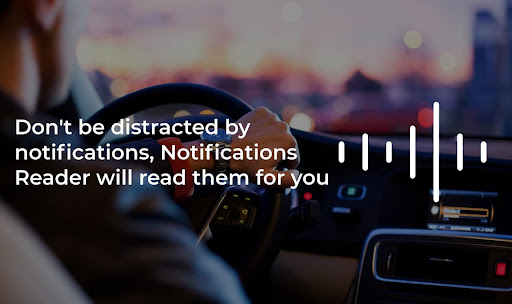
Don't be distracted by notifications, Notifications Reader will read them for you.
The app will help you while driving, you don't have to look at your phone to read notifications, the notifications reader announces it for you.
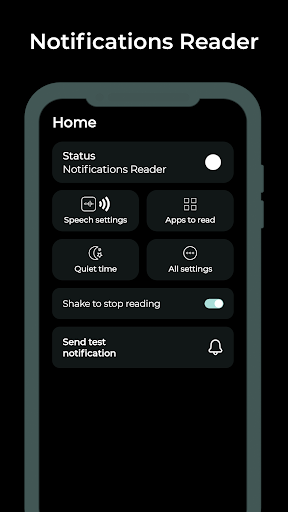
Notification Reader is fully customizable, you can adjust the speed of reading a notification, change the reading language, reading delay and more.
App will allow you to select applications whose notifications you want to read using Notifications Reader.
You can also set the time at which it is better not to read notifications, for example, at night.
How to start using Notifications Reader?
1. Open Notifications Reader
2. Grant permission to access notifications
3. Select apps whose notifications should be read
4. Customize the main settings for the notifications reader (Reader language, Reader Voice speed, Reader delay)
5. You're done, the notifications reader will read notifications for you.
Features:
Shake to stop reading
If you want the notifications reader to stop reading notification, just shake your phone.
You can enable or disable this feature in the settings.
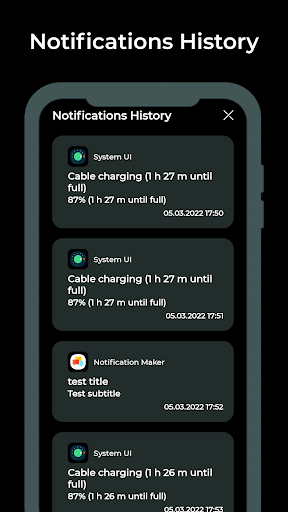
Notifications History
Did you receive a notification and you accidentally removed it and did not hear how the notifications reader read it? Not a problem, just go to the Notifications History tab and view all the notifications that you have received recently.
Notification Reader
Notifications Reader - Voice Notifications will read all incoming notifications for you, and you will no longer have to be distracted by them if you are busy. The number of notification reads is unlimited. Just shake your phone if you need to pause the notification reading.
If you have problems with app, please contact us: gth0st@outlook.com