Drive Cycle Procedure


Drive Cycle Procedure Summary
Drive Cycle Procedure is a ad-supported Android app in Auto And Vehicles by OBD High Tech. Released in Aug 2017 (8 years ago). It has about 6.6K+ installs and 22 ratings with a 3.67★ (average) average. Based on AppGoblin estimates, it reaches roughly 198 monthly active users and generates around $<10K monthly revenue (0% IAP / 100% ads). Store metadata: updated Nov 20, 2023.
Recent activity: 172 installs this week (177 over 4 weeks) showing exceptional growth View trends →
Store info: Last updated on Google Play on Nov 20, 2023 .
3.67★
Ratings: 22
Screenshots



App Description
Step by Step Drive Cycle Procedure for your car
OBD2 drive cycle is to let your car run on-board diagnostics. This in turn, allows the readiness monitors to operate in vehicle. And detect potential malfunctions of your car’s emission system. The correct drive cycle for your car can vary greatly depending on the car model, engine and manufacturer. Also, the monitor in question affects the required drive cycle procedure.
Many vehicle manufacturers include these drive cycles in the vehicle owner’s manual. A few days of normal driving, both city and highway, will make the monitors ready. The following drive cycle app can be used as a guideline if a specific drive cycle is not known. However, Drive Cycle app may not work for all cars and monitors. But It can work with your car!
Readiness Monitor types: (depending on vehicle support)
1. Continuous monitors: Misfire, Fuel System, Comprehensive Component.
2. Non-continuous monitors: Gas (Catalyst-CAT, Heated Catalyst, Evaporative-EVAP, Secondary Air System, Oxygen-O2, Oxygen Sensor Heater, EGR (Exhaust Gas Recirculation) and/or VVT System); Diesel (NMHC Catalyst, NOx/SCR Aftertreatment, Boost Pressure, Exhaust Gas Sensor, PM Filter, EGR and/or VVT System)
How to use?
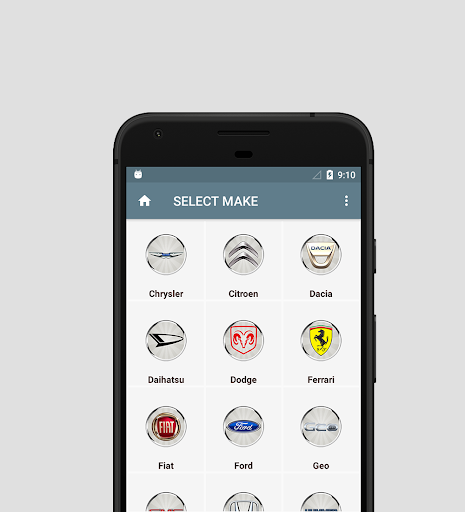
1. Select make
2. Select drive cycle monitor
3. Step by step drive cycle procedure