CharmPass


CharmPass Summary
CharmPass is a mobile Android app in Travel And Local by MTA IT. Released in Sep 2018 (7 years ago). It has about 302.6K+ installs and 3.5K ratings with a 4.80★ (excellent) average. Based on AppGoblin estimates, it reaches roughly 6.7K monthly active users . Store metadata: updated Jan 27, 2026.
Recent activity: 993 installs this week (3.9K over 4 weeks) showing steady growth , and 11 new ratings this week View trends →
Data tracking: SDKs and third-party integrations were last analyzed on Nov 15, 2024.
Store info: Last updated on Google Play on Jan 27, 2026 .
SDKs, Trackers & Permissions
CharmPass was last scanned for SDKs 2024-11-15. Below is the overview of third party companies detected in the app. The full list of raw SDKs, app permissions and unknown SDKs is available here.
AppGoblin saw CharmPass uses 2 Analytics: Product
 Google Analytics
 Firebase
AppGoblin saw CharmPass uses 1 Business Tools
 PayPal
AppGoblin saw CharmPass uses 2 Development Tools
 Vanniktech
 Google
App Details
App Store
Ads & App-Ads.txt
AppGoblin SDK Scans
4.8★
Ratings: 3.5K
Screenshots

App Description
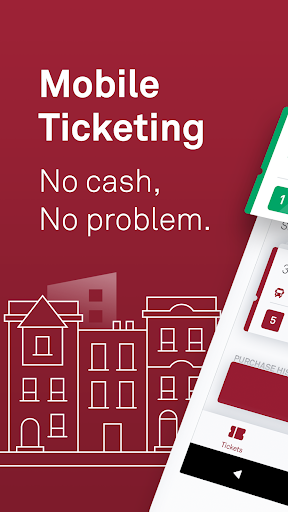
The official mobile ticketing app from MDOT MTA!
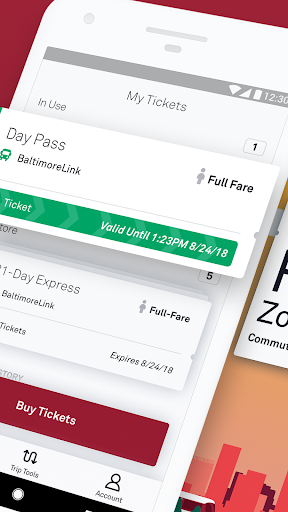
The CharmPass app lets you purchase and use fares instantly on your phone—anywhere, anytime. Just download the free app, register your debit/credit card or PayPal account in our secure system, and you're ready to go.
WHY YOU'LL LOVE THIS APP:
• No paper fares to track.
• Purchase BaltimoreLink Local Service, MARC Train, and Commuter Bus tickets all from one app.
• No need to carry cash, count exact change, or find a ticket machine.
• Buy and use fares instantly using a debit/credit card or your PayPal account.
• Pay a single fare or multiple fares for a group of riders.
HOW IT WORKS:
1. CHOOSE SERVICE
2. CHOOSE FARE
3. SELECT TICKET TYPE
4. CHOOSE QUANTITY
5. CHECK OUT
COMMON QUESTIONS:
Q: Do I need to be connected to the Internet?
A: Cellular network or a wireless Internet connection is required to purchase tickets, but you can activate your pre-purchased tickets offline.
Q: What if my battery dies?
A: Just like with paper tickets, you're responsible for making sure you have a valid fare at all times, so be sure to plan ahead!
IMPORTANT REMINDERS:
• Don't uninstall the CharmPass app or erase your phone while you have active tickets on it. Your tickets are stored on your phone (which makes it possible to use them without a cellular network or a wireless Internet connection), so uninstalling the app can permanently erase your tickets!
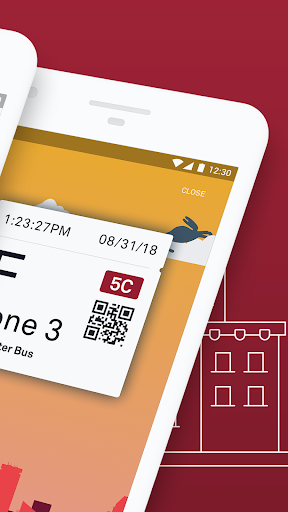
• Purchase your ticket anytime and activate your fare as you’re boarding.
• Show your ticket to the operator of the vehicle.
• Watch your battery level! Just like with paper tickets, you're responsible for making sure you have a valid fare at all times.