GnuCash Pocket

GnuCash Pocket Summary
GnuCash Pocket is a mobile Android app in Finance by Moshe Waisberg. Released in Jan 2024 (2 years ago). It has about 30.7K+ installs and 631 ratings with a 4.48★ (good) average. Based on AppGoblin estimates, it reaches roughly 3.3K monthly active users . Store metadata: updated May 17, 2026.
Recent activity: 327 installs this week (1.1K over 4 weeks) showing below average growth , and 6.00 new ratings this week View trends →
Store info: Last updated on Google Play on May 17, 2026 .
4.48★
Ratings: 631
Screenshots

App Description
GnuCash for your pocket-sized devices
GnuCash is a mobile finance manager for Android.
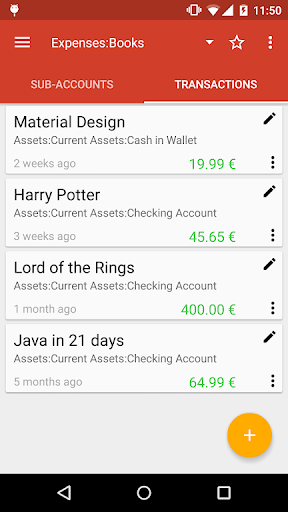
It is a companion application for GnuCash on the desktop, and enables flexible tracking of expenses on-the-go.
Recorded transactions can be exported back to the desktop GnuCash via several formats (CSV / QIF / OFX / XML).
Some of feature highlights include:
• An easy-to-use interface.
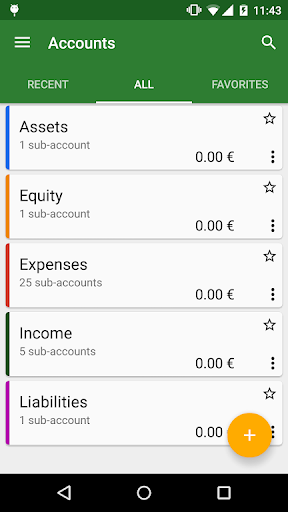
• Chart of Accounts: A master account can have a hierarchy of detail accounts underneath it.
This allows similar account types (e.g. Cash, Bank, Stock) to be grouped into one master account (e.g. Assets).
You can also import an existing account hierarchy from GnuCash desktop.
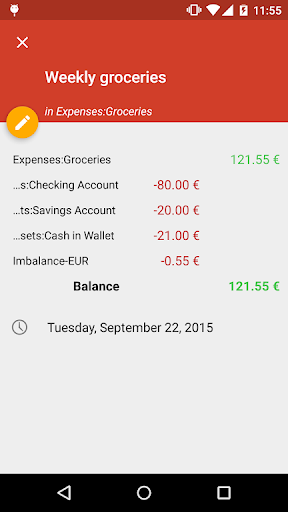
• Split Transactions: A single transaction can be split into several pieces to record taxes, fees, and other compound entries.
• Double Entry: Every transaction must debit one account and credit another by an equal amount. This ensures that the "books balance": that the difference between income and outflow exactly equals the sum of all assets, be they bank, cash, stock or other.
• Income/Expense Account Types (Categories): These serve not only to categorize your cash flow, but when used properly with the double-entry feature, these can provide an accurate Profit&Loss statement.
• Scheduled Transactions: GnuCash has the ability to automatically create and enter transactions.
• Export to GnuCash XML, QIF, OFX, or CSV: GnuCash can export your accounts/transactions in different formats for use in other programs. Also, scheduled exports to 3rd-party sync services like DropBox and Google Drive can be enabled.
• Reports: View summary of transactions (income and expenses) as pie/bar/line charts
• Homescreen widget for quick access to your accounts and recording of transactions
NOTE: that the app does not offer full compatibility with GnuCash for the desktop. You cannot synchronize between the desktop app and this one. But you can import your accounts and transactions from GnuCash XML files.