SD Card Data Recovery Help


SD Card Data Recovery Help Summary
SD Card Data Recovery Help is a ad-supported, with in-app purchases Android app in Productivity by SendGroupSMS.com. Released in Oct 2016 (9 years ago). It has about 2.1M+ installs and 11.7K ratings with a 3.31★ (mixed) average. Based on AppGoblin estimates, it reaches roughly 43.4K monthly active users and generates around $10K+ monthly revenue (66% IAP / 34% ads). Store metadata: updated Mar 26, 2026.
Recent activity: 3.4K installs this week (123.3K over 4 weeks) showing exceptional growth , and 20 new ratings this week View trends →
Data tracking: SDKs and third-party integrations were last analyzed on Apr 19, 2025.
Store info: Last updated on Google Play on Mar 26, 2026 .
SD Card Data Recovery Help was last scanned for SDKs 2025-04-19. Below is the overview of third party companies detected in the app. The full list of raw SDKs, app permissions and unknown SDKs is available here.
 Kotlin
 Google
 JetBrains
 AdMob
AdMob Firebase
3.31★
Ratings: 11.7K
Screenshots

App Description
SD Card Data Recovery Software help for Deleted Photos Videos Files memory cards
SD Card Data Recovery Software adviser for common memory card Data Loss cases from all type Speed and class of SD cards. Most Common SD card Data Loss Cases
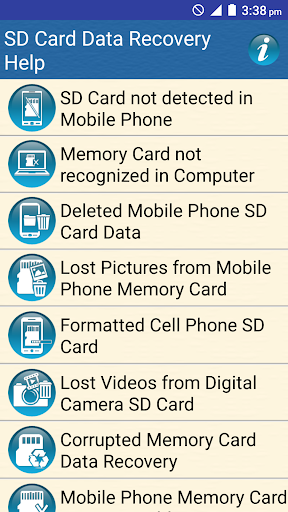
* SD Card not detected in Mobile Phone
* Memory Card not recognized in Computer
* Deleted Mobile Phone SD Card Data
* Lost Pictures from Mobile Phone Memory Card
* Formatted Cell Phone SD Card
* Lost Videos from Digital Camera SD Card
* Corrupted Memory Card Data Recovery
* Mobile Phone Memory Card is Inaccessible
* Some Error Messages Shown by SD card of your Mobile
* Order Online Memory Card Data Recovery Software
Some Error Messages Shown by SD card of your Mobile
* Can't find the storage Media
* SD card is damaged. Try Reformatting it.
* Format the SD Card
* SD card is Blank or Has unsupported file system.
* SD card unexpectedly removed.
* Sorry, this media files doesn't exist on your SD Card.
* Storage location is missing
* Insufficient storage space
* If you're getting the error message 'insufficient storage available' you need to delete the app cache. You can also download the free app for deleted cache, or can be manually achieved by deleting individual app caches.
DDR Memory Card Recovery Software is available for Windows as well as Mac operating Systems.