WordPress – Website Builder


WordPress – Website Builder Summary
WordPress – Website Builder is a free Android app in Productivity by Automattic, Inc. Released in Feb 2010 (16 years ago). It has about 19.5M+ installs and 202K ratings with a 4.38★ (good) average. Based on AppGoblin estimates, it reaches roughly 90K monthly active users . Store last updated Oct 19, 2026
Recent activity: 8.4K installs this week (33K over 4 weeks) showing above average growth , and 34 new ratings this week View trends →
SDK intelligence: AppGoblin detected 10 development tools(e.g. Google), 1 analytics: product,and 1 business tools integrated into WordPress – Website Builder. View full SDK list →
WordPress – Website Builder SDKs Summary
WordPress – Website Builder was last scanned for SDKs on 2026-10-05. Below is the overview of third-party companies detected in the app. The full list of SDKs, permissions and unknowns is available here.
 Google
 Facebook
 Sentry.io
 Square
 Firebase
 Zendesk
4.38★
Ratings: 202K
Screenshots



App Description
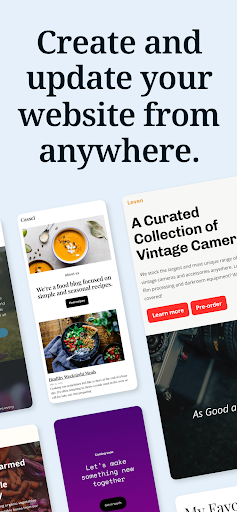
Easily build your website & blog. Create posts & track analytics from anywhere!
WordPress for Android puts the power of web publishing in your pocket. It’s a website creator and so much more!
CREATE
- Give your big ideas a home on the web. WordPress for Android is a website builder and a blog maker.
- Pick the right look and feel from a wide selection of WordPress themes, then customize with photos, colors, and fonts so it’s uniquely you.
- Built-in Quick Start tips guide you through the setup basics to set your new website up for success.
PUBLISH
- Create updates, stories, photo essays announcements -- anything! -- with the editor.
- Bring your posts and pages to life with photos and video from your camera and albums, or find the perfect image with the in-app collection of free-to-use pro photography.
- Save ideas as drafts and come back to them when your muse returns, or schedule new posts for the future so your site is always fresh and engaging.
- Add tags and categories to help new readers discover your posts, and watch your audience grow.
STATS
- Check your website’s stats in real time to keep track of the activity on your site.
- Track which posts and pages get the most traffic over time by exploring daily, weekly, monthly, and yearly insights.
NOTIFICATIONS
- Get notifications about comments, likes, and new followers so you can see people reacting to your website as it happens.
- Reply to new comments as they show up to keep the conversation flowing and acknowledge your readers.
READER
- Explore thousands of topics by tag, discover new authors and organizations, and follow the ones who pique your interest.
- Hang on to the posts that fascinate you with the Save for later feature.
SHARE
- Set up automated sharing to tell your followers on social media when you publish a new post.
- Add social sharing buttons to your posts so your visitors can share them with their network, and let your fans become your ambassadors.
Why WordPress?
There are a lot of blogging services, website builders, and social networks out there. Why create your website with WordPress?
WordPress powers over a third of the web. It’s used by hobby blogs, businesses of all sizes, online stores, even the biggest news sites on the internet. Odds are that many of your favorite websites are running on WordPress.
With WordPress, you own your own content. Other social networks treat you as a commodity, and as