Attendance Tracker


Attendance Tracker Summary
Attendance Tracker is a ad-supported, with in-app purchases Android app in Productivity by PeterMan Apps. Released in Feb 2012 (14 years ago). It has about 209K+ installs and 1.4K ratings with a 3.74★ (average) average. Based on AppGoblin estimates, it reaches roughly 20.5K monthly active users and generates around $<10K monthly revenue (22% IAP / 78% ads). Store metadata: updated Jan 25, 2021.
Recent activity: 6.00 installs this week (15 over 4 weeks) showing steady growth View trends →
Store info: Last updated on Google Play on Jan 25, 2021 .
3.74★
Ratings: 1.4K
Screenshots


App Description
The best looking and most efficiënt way to perform attendance taking for events!
The best looking and most efficient way to perform attendance tracking for any type of event using your android device (tablet or phone)!
Attendance Tracker has been created to ease keeping track of the attendance for any type of event. It fully integrates with your android device:
• Import contacts from your contact list or from Google Docs Spreadsheets
• Backup and restore attendance data to/from your SD card
• Watch overviews in the app or export them as Excel sheets and share using Google Drive or SkyDrive
• Mail or Text message all participants of an event directly from the app
Possible uses are:
• Keeping track of attendance during sport training sessions
• Tracking students (teachers)
• Track participation during regular work meetings
• Participation for Sunday schools
• Scouts
• Music (wind-bands)
• etc.
Use the app to:
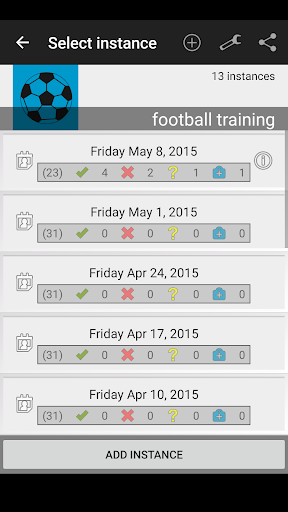
• Define events, assign participants to the event (from your Google account contacts) and track if persons are in, out, sick or unknown.
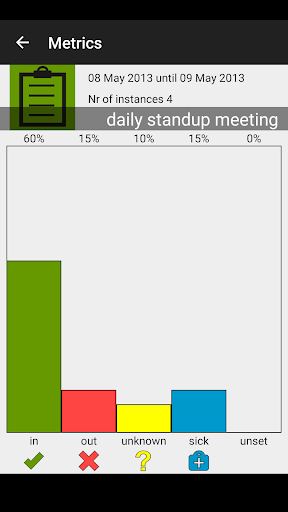
• View Metrics provide a clear overview of the attendance: average attendance, attendance per participant, number of attendees etc.
• Easily reach out to the participants by sending emails or text messages directly from the app (for example send an SMS to all participants that were missing during an instance).
• Export attendance overviews to Excel. The overviews include all attendance data, notes, is late marks etc.
• Backup/restore attendance data. This allows you to take the attendance data with you in case of a factory reset or purchase of a new device.