Phone Call


Phone Call Summary
Phone Call is a ad-supported Android app in Tools by Call Log Manager. Released in Apr 2025 (1 year ago). It has about 6.3M+ installs and 15.7K ratings with a 4.18★ (good) average. Based on AppGoblin estimates, it reaches roughly 544.9K monthly active users and generates around $10K+ monthly revenue (0% IAP / 100% ads). Store metadata: updated Jun 2, 2026, version 16.
Recent activity: 74.3K installs this week (406.1K over 4 weeks) showing declining growth , and 247 new ratings this week View trends →
Data tracking: SDKs and third-party integrations were last analyzed on Jun 2, 2026. The app's network data flows (API traffic to/from the app and its SDKs) were last crawled on Dec 23, 2025.
Store info: Last updated on Google Play on Jun 2, 2026 (version 16).
SDKs, Trackers & Permissions
Phone Call was last scanned for SDKs 2026-06-02. Below is the overview of third party companies detected in the app. The full list of raw SDKs, app permissions and unknown SDKs is available here.
AppGoblin saw Phone Call uses 2 Mediation
 AdMob
AdMob AppLovin
AppGoblin saw Phone Call uses 6 Development Tools
 Kotlin
 Airbnb Engineering
 Bumptech
 Square
AppGoblin saw Phone Call uses 1 Analytics: Product
 Firebase
AppGoblin saw Phone Call uses 7 Ad Networks
 One Signal
 Google
 InMobi
 Facebook
AppGoblin saw Phone Call uses 1 Analytics: Attribution
 AppMetrica
App Details
App Store
Ads & App-Ads.txt
AppGoblin SDK Scans
4.18★
Ratings: 15.7K
Screenshots


App Description
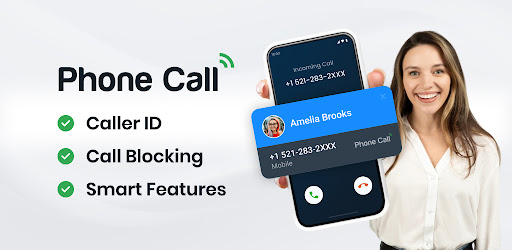
Manage phone calls with caller ID, call blocking, and smart features.
📞 Phone Call – Organize, View & Take Action on Your Calls Instantly!
Phone Calls is a simple, smart, and efficient app designed to help you view your call history with ease. Whether you need to check missed calls, outgoing calls, or call details, this app provides a clean and organized interface for quick access.
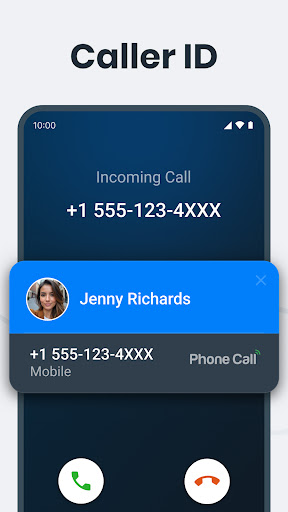
Our built-in Caller ID feature includes an After-Call Screen that displays caller information and lets you instantly respond via call, SMS, or other messaging apps.
✨ Key Features
✔ After-Call Screen - Take instant actions after every call, including quick replies, messaging, reminders, saving contacts, or blocking unwanted callers.
✔ Block/Unblock Contacts – Easily block unwanted numbers and unblock them whenever needed.
✔ View Complete Call History – Access your entire call log, including missed, received, and outgoing calls.
✔ Call Details & Duration – Get detailed insights on each call.
✔ Smart Search – Quickly find contacts by name in your contact list.
✔ Favorites Section – Mark important contacts for instant access.
✔ One-Tap Call Back – Call directly from your call log.
✔ Lightweight & Fast – Enjoy a smooth, lag-free experience.
✔ Privacy-Focused – Your call data stays secure and private at all times.
🔒 Permissions & Privacy
✔ The app only accesses call logs to provide call management and after-call screen features.
✔ We never store, share, or misuse call log data without the user's consent. It is used only to enhance the user experience and is fully Google Play policy compliant.
✔ 100% Google Play Policy Compliant – No tracking, no analytics, no unauthorized data usage.
📌 Why does the app need READ_CALL_LOG permission?
✔ Caller ID & After-Call Actions - To display recent call details and support features like block/unblock, quick replies, instant call-back, messaging, and saving unknown numbers right after a call.
✔ Call Log Management - To show your full call history, including incoming, outgoing, and missed calls
✔ Smart Call Insights – To detect and highlight frequently contacted numbers for quicker access.
📲 Download Phone Call App today and take full control of your recent call history