camart


camart Summary
camart is a ad-supported, with in-app purchases Android app in Photo And Video by Pixelab. Released in Jul 2017 (8 years ago). It has about 6.4M+ installs and 24.9K ratings with a 3.70★ (average) average. Based on AppGoblin estimates, it reaches roughly 227K monthly active users and generates around $10K+ monthly revenue (26% IAP / 74% ads). Store metadata: updated Oct 8, 2025, version 39.
Recent activity: 65 installs this week (252 over 4 weeks) showing steady growth , and -2 new ratings this week View trends →
Data tracking: SDKs and third-party integrations were last analyzed on May 8, 2026. The app's network data flows (API traffic to/from the app and its SDKs) were last crawled on Mar 28, 2026.
Store info: Last updated on Google Play on Oct 8, 2025 (version 39).
SDKs, Trackers & Permissions
camart was last scanned for SDKs 2026-05-08. Below is the overview of third party companies detected in the app. The full list of raw SDKs, app permissions and unknown SDKs is available here.
AppGoblin saw camart uses 4 Analytics: Attribution
 AppsFlyer
 Adjust
 AppMetrica
 Yandex Metrica
AppGoblin saw camart uses 3 Mediation
 AppLovin
 Unity
Unity AdMob
AdMobAppGoblin saw camart uses 28 Ad Networks
 ironSource
 BidMachine
 BIGO Ads
 AppBrain
AppGoblin saw camart uses 1 Business Tools
AppGoblin saw camart uses 9 Development Tools
 Google
 Sentry.io
 JetBrains IntelliJ
AppGoblin saw camart uses 1 Analytics: Product
 Firebase
App Details
App Store
Ads & App-Ads.txt
AppGoblin SDK Scans
3.7★
Ratings: 24.9K
Screenshots

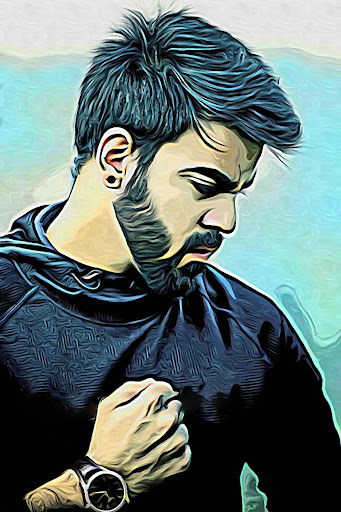
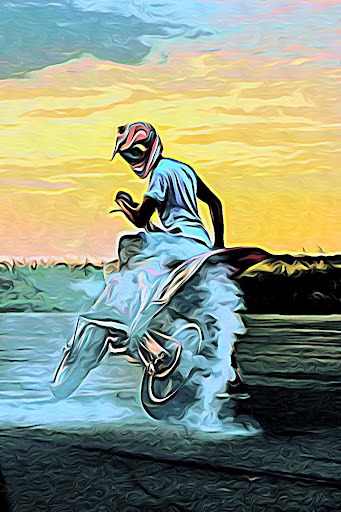
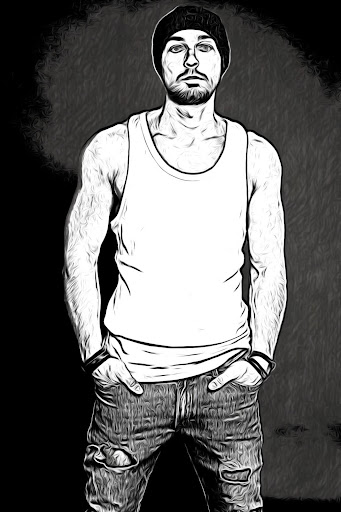
App Description
edit photos and videos, applying artistic, cartoon and sketch effects
Camart photo editor is the perfect app to apply the most amazing artistic and cartoon effects on your camera in real time! take the coolest selfies, create artworks from your photos and record videos that look like live paintings. Dozens of artistic filters to choose from (cartoon, sketch, pencil, watercolor, manga, comics, oil painting and many many more).
With camart every photo becomes an artwork, every recorded video a piece of art, even just looking around through the camera preview reveals a different spectacular world.
camart features:
- Apply real time effects and take photos, selfies and videos with your camera, or change the existing photos of your gallery.
- You can choose from many artistic and cartoon effects and you can adjust settings to create an infinite number of variations of your photos.
- Pinch to zoom, tap screen to auto focus, switch between the back and front camera
- Share photos by email or to social networks