my MEO


my MEO Summary
my MEO is a free Android app in Productivity by MEO – Serviços de Comunicações e Multimédia, S.A.. Released in Jul 2011 (15 years ago). It has about 2.3M+ installs and 20K ratings with a 4.26★ (good) average. Based on AppGoblin estimates, it reaches roughly 181K monthly active users . Store last updated Jul 23, 2026
Recent activity: 6.7K installs this week (26K over 4 weeks) showing steady growth , and 88 new ratings this week View trends →
SDK intelligence: AppGoblin detected 9 development tools(e.g. React Native), 2 analytics: product,and 1 ad networks integrated into my MEO. View full SDK list →
my MEO SDKs Summary
my MEO was last scanned for SDKs on 2025-03-08. Below is the overview of third-party companies detected in the app. The full list of SDKs, permissions and unknowns is available here.
 Firebase
 Qualtrics
 Google
 React Native
 Facebook
 Greenrobot
 ReactiveX
4.26★
Ratings: 20K
Screenshots

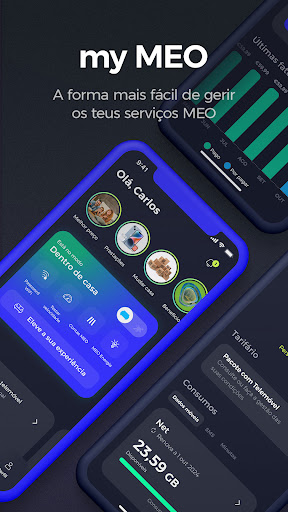


App Description
My MEO app, the easiest way to manage your MEO services
My MEO app, the easiest way to manage your MEO services
Main Features:
1. Offers designed with you in mind
See, in our stories, all the offers we designed with you and your family in mind.
2. Elevate your MEO experience
Explore our products, apps and services, inside and outside the home, and have the best experience with MEO.
3. Manages services for the entire family
Check your services or those of your family members, change tariffs or manage Premium Channels, Netflix, Disney+ and much more.
If your internet ran out before the renewal date, no problem. Buy more net and always stay connected.
4. View and pay your invoice
Check your invoices and keep everything organized in one place. Activate direct debit or pay securely directly in the app.
If you have any doubts, our invoice comparator helps you find out what has changed compared to the previous month.
5. Control your consumption and expenses
At any time, you know what you have available, what you have already consumed and the renewal date for your net, SMS or minutes allowances. Define the limits for extra spending on your monthly fee and which services you want to have active
6. Use the Digital Assistant to save time
Use the Digital Assistant to clarify your doubts, quickly access the app's features or resolve faults automatically. And if you can't solve the problem, contact a human assistant.
7. View your contract information
Consult and update ownership, privacy and billing data. See your contract and loyalty period
8. Check your cell phones PIN and PUK
Check the PIN and PUK of your cell phones and activate 2nd copies of your card.
9. All support channels in one click
Go to your Profile and access all the support channels we have for you. If you need help on a more detailed topic, see the frequently asked questions, participate in our user community or find out where to find our stores and Support Lines.
10. Track the status of your orders
Create requests and check the status of support requests you have made in notifications in your customer area
With my MEO, managing your account and services is easy. Download it now and simplify your life with MEO.