QR Scanner, Scan All Barcode


QR Scanner, Scan All Barcode Summary
QR Scanner, Scan All Barcode is a ad-supported Android app in Tools by Dcutuansaw. Released in May 2025 (10 months ago). It has about 305.9K+ installs and 173 ratings with a 4.38★ (good) average. Based on AppGoblin estimates, it reaches roughly 25.2K monthly active users and generates around $<10K monthly revenue (0% IAP / 100% ads). Store metadata: updated Mar 19, 2026, version 6.
Recent activity: 8.4K installs this week (9.2K over 4 weeks) showing above average growth , and 5.00 new ratings this week View trends →
Data tracking: SDKs and third-party integrations were last analyzed on Mar 28, 2026. The app's network data flows (API traffic to/from the app and its SDKs) were last crawled on Jan 4, 2026.
Store info: Last updated on Google Play on Mar 19, 2026 (version 6).
QR Scanner, Scan All Barcode was last scanned for SDKs 2026-03-28. Below is the overview of third party companies detected in the app. The full list of raw SDKs, app permissions and unknown SDKs is available here.
 Airbnb Engineering
 Google
 Kotlin
 Square
 Vungle
 Facebook
 VK
VK ByteDance
 AdMob
AdMob Adjust
 Firebase
4.38★
Ratings: 173
Screenshots



App Description
Fast QR scanner, barcode reader for you and generate QR code with ease
🔥Scan QR codes easier than ever! With the QR Scanner, Scan All Barcode app, you can conveniently read both QR codes and barcodes.
👉Download QR Code Reader now to quickly scan product information, as well as passports and ID cards. Try scanning now!
📌Highlight Features of QR Scanner, Scan All Barcode app:
✔️QR Code Scanner: Instantly scan any QR code using your device’s camera with lightning speed and precision.
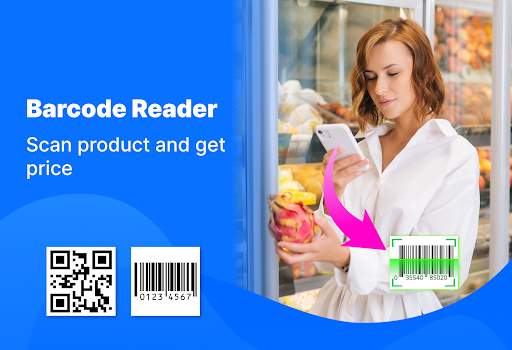
✔️Barcode Reader: Quickly scan multiple types of barcodes to get product details.
✔️Passport & ID Card Scanner: Securely read information from passports, ID cards, and other official documents.
✔️QR Code Generator: Create custom QR codes for URLs, text, contact information, Wi-Fi networks, and more.
✔️Instant Results: Get accurate scan results in real time without delays.
✔️Scan History: Easily access and manage your previous scans, organized for quick reference.
🧐Why choose QR code Scanner and barcode reader?
✅Fast scanner
✅Easy to Use
✅Lightweight
✅Save and Share quickly
✅Secure & Private
❓How to use QR Code Reader or Barcode Scanner?
1️⃣ Open the App and tap "Scan".
2️⃣ Choose to scan from an image or use your camera. If using the camera, point it at the QR code, barcode, ID card, or passport.
3️⃣ The app will automatically read the code within seconds.
4️⃣ View your results and done
❓How to Use QR Code Generator?
1. Open the App and tap "Create"
2. Enter your content you need – this can be a website link, text, contact info, Wi-Fi details, or other information.
3. Save or share your QR code directly from the app.
With QR Scanner, Scan All Barcode app, you can instantly read QR codes and barcodes from food, clothing, electronics, and other products to check original information, prices, or authenticity. You can also securely scan ID cards, passports for quick and accurate data reading.
👉Download QR Scanner, Scan All Barcode app now to start scanning, generating, and managing your QR codes with ease!
💌If you enjoy the app, please take a moment to rate us and leave a positive review – your support helps us grow! Thank you.