Service Report


Service Report Summary
Service Report is a with in-app purchases Android app in Business by Reiko Klein. Released in Apr 2018 (8 years ago). It has about 33.1K+ installs and 63 ratings . Based on AppGoblin estimates, it reaches roughly 1.4K monthly active users and generates around $<10K monthly revenue (100% IAP / 0% ads). Store metadata: updated Sep 1, 2023.
Recent activity: 27 installs this week (89 over 4 weeks) showing steady growth View trends →
Store info: Last updated on Google Play on Sep 1, 2023 .
0★
Ratings: 63
Screenshots

App Description
With 'Service Report' you create service reports in PDF format.
With 'Service Report' you create service reports which can be saved in a database and distributed as a PDF file.
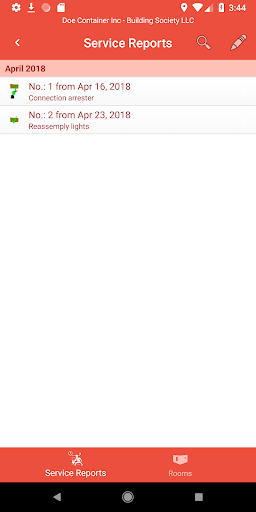
The service reports are subdivided according to company, construction site and client.
Any number of attendances, executed work and processed materials can be included in each service reports.
According to the settings, you can assign the attendances of a service report to individual employees or a number of employees.
Depending on the version, you can import employees, materials or a room book, assign a logo to each company and display it in the header according to the settings on each PDF document.
On the Android device as of Android 7.0 Nougat you can drag & drop companies, construction sites, clients, employees and rooms between our apps.
With the export function, daily wages can be exported as * .XML and imported on another device with the daily wages app. All employees and rooms as well as the company, client and construction site will be taken over. The data in the XML file is encrypted and can only be read out via the app.
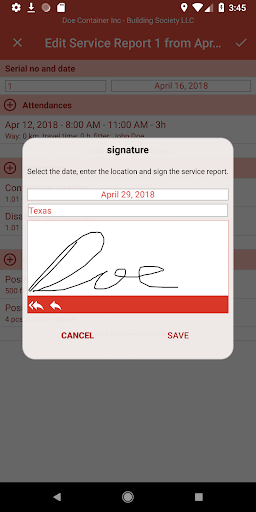
The service reports can be signed directly in the app by the client. Where the client signature is not saved but for privacy reasons directly written in a PDF. If a service report signed by the client is processed, the client's signature will be lost.
In the settings, you can change the title of the form "Service Report" as well as the name of the construction site, name of the contractor's signature and the name of the client's signature.