Roke: TV Remote control for TV
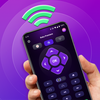

Roke: TV Remote control for TV Summary
Roke: TV Remote control for TV is a ad-supported, with in-app purchases Android app in Tools by Video downloader for all. Released in Apr 2025 (1 year ago). Store metadata: updated Dec 26, 2025.
Data tracking: SDKs and third-party integrations were last analyzed on Jan 29, 2026. The app's network data flows (API traffic to/from the app and its SDKs) were last crawled on Oct 19, 2025.
Store info: Last updated on Google Play on Dec 26, 2025 .
Roke: TV Remote control for TV was last scanned for SDKs 2026-01-29. Below is the overview of third party companies detected in the app. The full list of raw SDKs, app permissions and unknown SDKs is available here.
 AdMob
AdMob Google
 Airbnb Engineering
 Kotlin
 Square
 Firebase
 ThinkingData
0★
Ratings:
Screenshots


App Description
Universal remote control for Roku TV:Control Roku with this universal Remote app
Tired of always searching for your TV remote? Try this universal TV remote for Roku! Just connect this universal Roku remote control app to the same Wi-Fi network as your Roku TV, and you can easily turn your TV on/off, control volume, browse and stream content, and launch channels — just like a typical physical Roku remote. Install it now and enhance your TV experience with this convenient TV remote control app for TV!
Main Features of the Universal Remote Control App:
- Automatic detection: This universal remote app can detect TV devices on the same WiFi network, making it easy to set up.
- Rapid Roku remote control: Our universal Roku remote can give you instant access to control TV or Roku devices. Voice control and turn off/on are all available in this universal remote app.
- Simple navigation for TV: Easily control your Roku TV using the touchpad for smooth scrolling and swiping in universal Roku remote control
- Keyboard input: Swift text input and search functionality help you find your favorite shows quickly in Roku remote control app
- Power on/off your Roku TV directly from your phone, enjoy convenient Roku TV experience in universal Roku remote control app
- Say goodbye to traditional Roku remote . Experience a more portable Roku remote control app on your phone
Enjoy the functionalities of the universal Roku remote control at your own discretion.
How to Use the Universal Remote App:
1. Download and install the Universal Roku Remote Control app.
2. Choose a Roku stick device that is connected to the same WiFi network with universal Roku remote control
3. Tap to connect your Roku stick to this universal Roku remote control app
4. That’s it! Your universal remote app is ready.
Control your Roku stick effortlessly with these simple steps with this universal remote app!
Troubleshooting:
- The Roku remote control app must be on the same Wi-Fi network as your Roku TV.
- If you experience connection issues with Roku TV device, try reinstalling the universal remote app and restarting your TV to fix common problems.
Important Note: The universal Roku remote app is not an official Roku application and is not affiliated with Roku, but it provides an easy and reliable way to control your Roku TV.