Add Remove Audio From Video


Add Remove Audio From Video Summary
Add Remove Audio From Video is a ad-supported Android app in Video Players by Roxanne Crete. Released in Sep 2018 (7 years ago). It has about 7.2K+ installs Based on AppGoblin estimates, it reaches roughly 435 monthly active users and generates around $<10K monthly revenue (0% IAP / 100% ads). Store metadata: updated Oct 19, 2022.
Recent activity: 3.00 installs this week (12 over 4 weeks) showing steady growth View trends →
Store info: Last updated on Google Play on Oct 19, 2022 .
0★
Ratings: 0
Screenshots

App Description
Add any audio over any other video very easily with Audio Video Mixer!
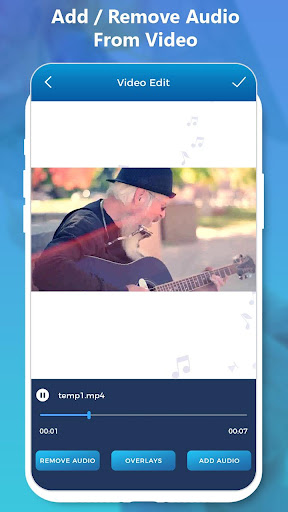
Change audio of any video within a time or Remove Audio from video and mix with other audio. Change Lip sync videos with single click. Remove default sound add custom audio sound in any of video in short time.
Remove and Replace Audio in Video provides a facility for changing Background Music of any video files. With this you can trim any video or audio and save them. Easily change audio of video file to your custom audio file.
By using Remove and Replace Audio in Video you can add or mix your favorite audio files to video files within a few seconds or minutes.
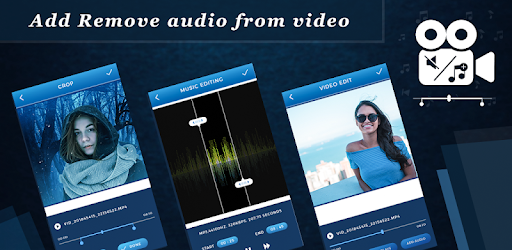
Add Remove Audio From Video provides a facility for changing Background Music of any video files. Add Remove Audio From Video is one type of video editor app, using this app you can add or mix your favorite audio files to video files. This application manage audio file size if the audio file length is larger than video files, it will be automatically trim audio to video duration. If the audio duration is less than video then audio will be concatenated to video length. The app work very smooth and fast to give you real video experience.
How to:
-> Start mixing with loading video to our app
-> Add Audio from your collection
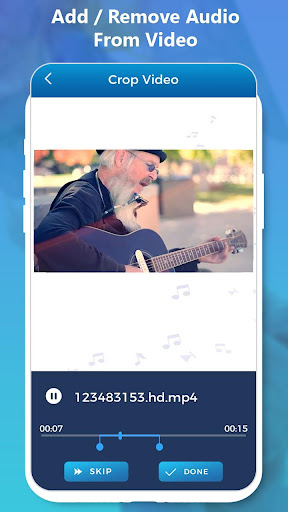
-> Trim Video by seek bar
-> Done!!! Press Create button and video is ready
-> Easily Share your Mixer Video With your Friends via all Social Media
Features:
♦ Add Remove Audio From Video support music trimming too
♦ Picking start location of video
♦ Live preview of your creation and then save
♦ Supports major available video and audio Formats
♦ Also Work as Video Trimmer
♦ Mix All audio and videos
♦ Trim to create portion of video
♦ Delete or Share Video Directly from the list
♦ Powerful video and audio mixer
♦ Smooth UI designs
♦ Remove and Replace Audio in Video support music trimming too
♦ Video can be trimmed
♦ Sharable to mostly social networks