Make a music video from photo


Make a music video from photo Summary
Make a music video from photo is a ad-supported, with in-app purchases Android app in Video Players by Android Tools (ru). Released in Jun 2019 (6 years ago). It has about 10.5K+ installs Based on AppGoblin estimates, it reaches roughly 1.1K monthly active users and generates around $<10K monthly revenue (69% IAP / 31% ads). Store metadata: updated Jul 22, 2023.
Recent activity: 821 installs this week (829 over 4 weeks) showing exceptional growth View trends →
Store info: Last updated on Google Play on Jul 22, 2023 .
0★
Ratings: 0
Screenshots


App Description
Make video with pictures and music, not bothered and not wasting time!
How to make video? Due to stereotypes, people are sure that the creation of a video show is a time-consuming, lengthy process, and not everyone can cope with such a muddled as the imposition of music on the video. However, it is best to choose the appropriate photos, music track to them and try to make a video show. In addition, a photo collage with music is the best demonstration for the presentation of any project. With our video maker simple (but no less popular) slide show can create any.
Application features allow even a novice user to feel like a real video guru.
In your slide show you can easily:
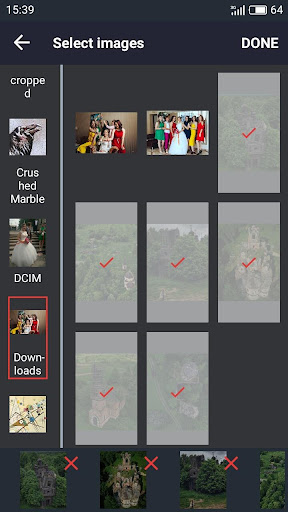
- add photos and pictures from the device gallery (as well as various stickers from the existing collection);
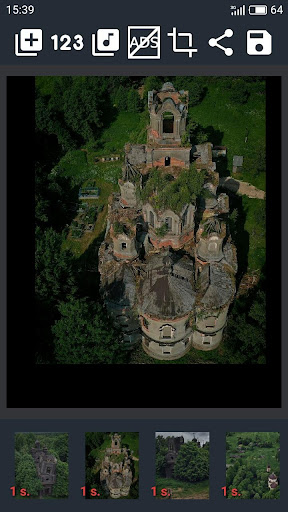
- control the sequence and duration of the displayed frames;
- animate the transition from one frame to another (set your favorite animation and transition speed);
- apply music to the photo, choosing it either by default or from your personal collection (you can turn on and off at will);
- adjust the frame format (that is, make a video show in a single format from different images);
- save and share your masterpieces on social networks, and send to friends and colleagues.
So, if you decided to make a video of the photos, go for it. Statistics confirm that the video from the photo earns incomparably more views and likes, serves as a more visual material than a simple flickering of pictures, and the right music in the photo sets the right mood.