Voice Notes - Speech to text


Voice Notes - Speech to text Summary
Voice Notes - Speech to text is a ad-supported, with in-app purchases Android app in Tools by UXAPPS LTD. Released in Jan 2020 (6 years ago). It has about 545.4K+ installs and 10.8K ratings with a 4.67★ (excellent) average. Based on AppGoblin estimates, it reaches roughly 14.9K monthly active users and generates around $<10K monthly revenue (38% IAP / 62% ads). Store metadata: updated Apr 21, 2026.
Recent activity: 1.2K installs this week (4.7K over 4 weeks) showing steady growth , and 19 new ratings this week View trends →
Store info: Last updated on Google Play on Apr 21, 2026 .
4.67★
Ratings: 10.8K
Screenshots

App Description
Write by voice - save, edit and share notes quickly and easily!
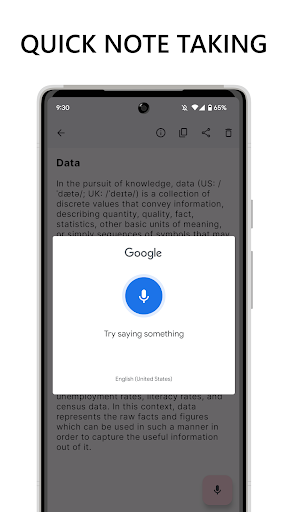
Tired of typing messages? Create a voice note in Voice Notes! The app will quickly convert speech to text and save the result.
Using Voice Notes you can easily write by voice and share notes with friends and family in all popular messengers and social networks.
Voice Notes will help you if you work with texts a lot. This is a handy way to quickly dictate a note so you don't forget important thoughts.
The smart voice recognition algorithm accurately converts speech to text and provides recognition options for you to choose from. Also, after voice input, you can always edit the note manually.
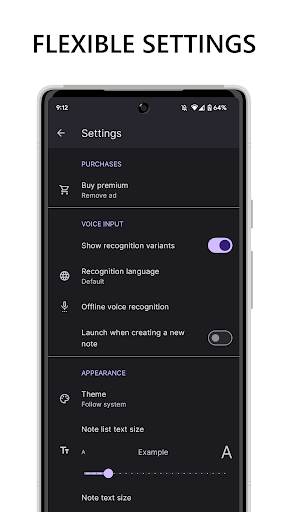
You don't need the Internet to write by voice. Just download the language packages and use the app offline. Detailed information on how to do this is in the app settings.
Functions:
- Text in the app is saved automatically
- Selecting the recognition language
- Selecting the font size for the list and individual notes
- Detailed note information: number of words and characters
- Convenient text editing and note sharing
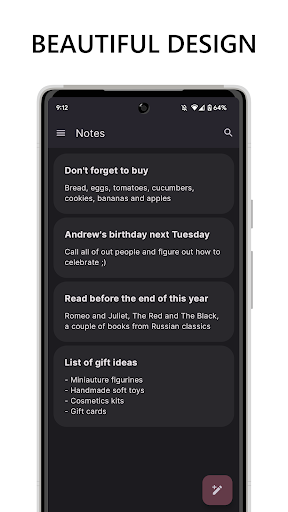
- Easy search and organization of notes
- Special commands for voice input: for example, say "dot" and the character "." will be displayed in the note
- Simple design and dark theme
To convert speech to text, Voice Notes uses Google's speech recognition service. Therefore, the Google app must be installed for voice input to work.