Wheel of life 20 spheres


Wheel of life 20 spheres Summary
Wheel of life 20 spheres is a mobile Android app in Lifestyle by Vladimir Semakov. Released in Aug 2021 (4 years ago). It has about 420+ installs Based on AppGoblin estimates, it reaches roughly 17 monthly active users . Store metadata: updated Aug 13, 2021.
Store info: Last updated on Google Play on Aug 13, 2021 .
0★
Ratings: 0
Screenshots


App Description
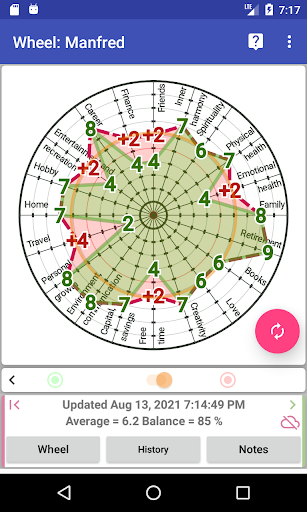
Assessment and management of the balance of life in 20 areas
ANONIMOUS LOGIN:
name: ANY NIKNAME,
phone: ANY SET OF NUMBERS.
Localizations EN (default), ES, RU.
Assessment and management of life balance in 20 areas of life.
Functions:
1. Assessment of life balance,
2. Setting goals with control over the specified deadlines for achieving them,
3. Maintaining a list of tasks for each set goal.
4. Changing the names of the spheres to their own.
5. Preservation of unlimited history.
6. Graphic animation of wheel history.
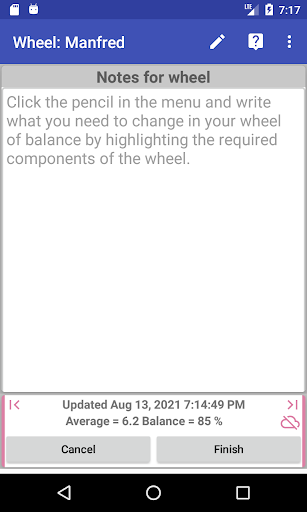
7. Notes for each wheel and all completed tasks are saved in history for later review and analysis.
Instructions for use:
https://docs.google.com/presentation/d/1MuyhFtkK0X9h08StzZG-3lgxAlWADjZ1sY01f5-_srY/edit?usp=sharing
Similar applications "wheel of life" for 8, 10, 12, 14, 16, 18 and 20 spheres of life can be found on our developer page:
https://play.google.com/store/apps/dev?id=7882788596800505592
How to change the values of any sphere of the wheel or target?
It is very convenient to change the value of the sphere of the wheel or target, for this you need to:
1. Press the needle of the selected sphere anywhere (preferably closer to the values 9 or 10),
2. Slide across the screen to any convenient place on the screen and start dragging the value of the selected sphere parallel to the selected spoke = the value will change as you move your finger across the screen, which will be clearly visible for your control,
3. Release your finger after setting the required value,
4. Repeat steps 1-3 for all spheres and click the "Finish" button, all changed values will be stored in the local database.
Note:
You do not need to press directly on the sphere value digit to change it, since you will not see its change under your finger.
How do I replace the names for the spokes of the wheel with my own?
In the header settings section, each sphere has:
1) description (regular font) and
2) the title displayed on the spoke wheel (bold).
Both titles are required to edit: 1) and 2).
How do I delete one or all targets?
1. In the "Goals" section, click the "Goals" button and drag all the required target values (red) until they align with the corresponding wheel values (green).
2. Click Finish. All changed goals and objectives will be canceled.