PixelMe: AI Pixel Art Camera


PixelMe: AI Pixel Art Camera Summary
PixelMe: AI Pixel Art Camera is a ad-supported, with in-app purchases Android app in Art And Design by AI Gahaku. Released in Feb 2021 (5 years ago). It has about 386.3K+ installs and 5.9K ratings with a 4.30★ (good) average. Based on AppGoblin estimates, it reaches roughly 12.3K monthly active users and generates around $<10K monthly revenue (37% IAP / 63% ads). Store metadata: updated Jun 3, 2026.
Data tracking: SDKs and third-party integrations were last analyzed on Mar 9, 2026. The app's network data flows (API traffic to/from the app and its SDKs) were last crawled on Oct 22, 2025.
Store info: Last updated on Google Play on Jun 3, 2026 .
SDKs, Trackers & Permissions
PixelMe: AI Pixel Art Camera was last scanned for SDKs 2026-03-09. Below is the overview of third party companies detected in the app. The full list of raw SDKs, app permissions and unknown SDKs is available here.
AppGoblin saw PixelMe: AI Pixel Art Camera uses 3 Ad Networks
 AppLovin
 Google
 Vungle
AppGoblin saw PixelMe: AI Pixel Art Camera uses 1 Mediation
 AdMob
AdMobAppGoblin saw PixelMe: AI Pixel Art Camera uses 4 Development Tools
 Flutter
 Kotlin
 Square
AppGoblin saw PixelMe: AI Pixel Art Camera uses 1 Analytics: Product
 Firebase
AppGoblin saw PixelMe: AI Pixel Art Camera uses 1 Business Tools
 RevenueCat
App Details
App Store
Ads & App-Ads.txt
AppGoblin SDK Scans
4.3★
Ratings: 5.9K
Screenshots


App Description
Turn photos into pixel art avatars and 8-bit portraits
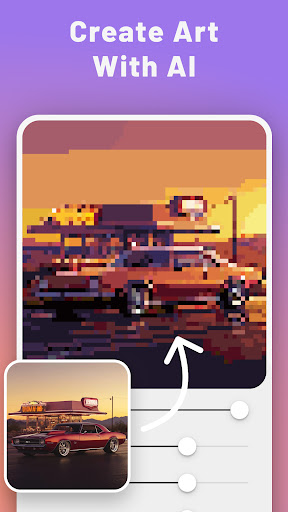
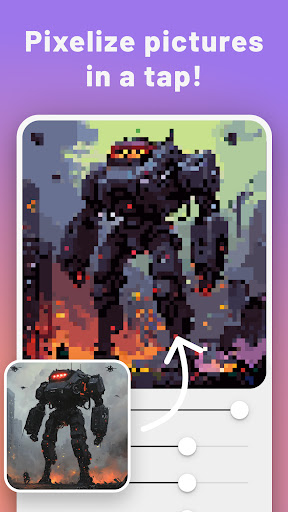
PixelMe turns photos into pixel art avatars and 8-bit portraits in a few taps.
Start with a selfie, pet photo, or favorite picture and convert it into a retro art style without learning a complex editor. PixelMe gives you a fast AI starting point, then lets you clean up colors and details so the result feels more like your own artwork.
What you can do with PixelMe:
- Convert photos into pixel art with AI
- Create pixel avatars and 8-bit portrait images
- Make sprite-inspired profile pictures and game-style icons
- Edit colors and small details after the first conversion
- Save and share results for profiles, social posts, or creative projects
PixelMe is for people who want a simple photo to pixel art tool, not a complicated drawing program. Use it when you want a quick avatar, a retro 8-bit look, or a playful starting point for your next edit.
Download PixelMe and turn your next photo into pixel art.