Phone MCP: AI Assistant Server


Phone MCP: AI Assistant Server Summary
Phone MCP: AI Assistant Server is a mobile Android app in Tools by Premex AB. Released in Jun 2025 (1 year ago). It has about 991+ installs Based on AppGoblin estimates, it reaches roughly 127 monthly active users . Store metadata: updated Jun 16, 2025.
Recent activity: 47 installs this week (148 over 4 weeks) showing steady growth View trends →
Store info: Last updated on Google Play on Jun 16, 2025 .
0★
Ratings: 0
Screenshots


App Description
MCP server for AI assistants. Secure, local, permission-based phone access.
📱 Turn Your Phone Into an AI Assistant's Tool
Phone MCP transforms your Android device into a secure server that connects AI assistants to your phone's capabilities. Built on the Model Context Protocol (MCP), it enables powerful AI interactions while keeping your data completely under your control.
Unlike AI apps that run models on your phone, Phone MCP is a lightweight bridge — it has no AI built-in. Instead, it safely exposes phone features to external MCP-compatible AI systems through a secure, permission-based interface.
🔒 Complete Privacy & Security
Your privacy is paramount:
• Android permission model for all actions
• Explicit user consent required for each feature
• Bearer token authentication for secure connections
• Open source for complete transparency
• All phone data access is local and device-only
• Anonymous app usage analytics only (Firebase) - no personal data shared
For detailed information about what data we collect and how it's used, please review our privacy policy (link available in the Play Console).
✨ Current Capabilities
• 📞 Contact Management: Read and access your contact list (read-only)
• 💬 SMS Control: Send messages through the system app
• 💬 SMS Intent: Send SMS via Intent (no special permissions needed)
• 📹 Camera Access: Take and capture photos
• 📡 Sensor Data: Access accelerometer, gyroscope, and other sensors
• 🔌 External Tools: Auto-discover and integrate MCP tools from other apps
All features are opt-in and require explicit permission before use.
🚀 Quick Setup
1. Install Phone MCP on your Android device
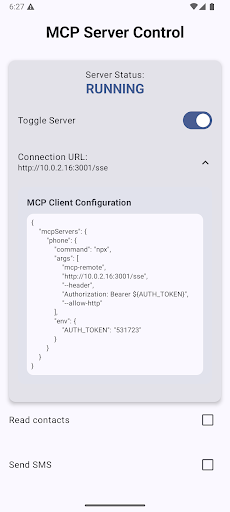
2. Open the app and review available tools
3. Enable the features you want to allow
4. Start the MCP server
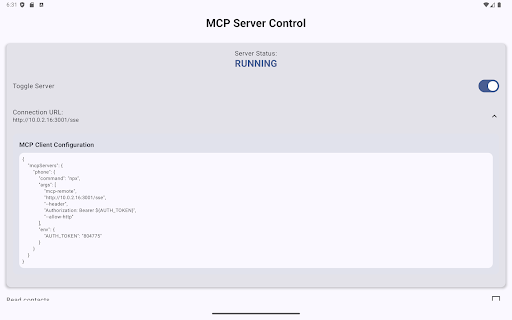
5. Connect from your external AI agent using the provided connection details
6. Your AI assistant now has controlled access to your phone
Perfect For:
• Developers testing MCP-compatible AI agents
• Users running local AI systems or interpreters
• Anyone wanting secure, permission-based AI phone control
• Building custom AI workflows with phone automation
⚙️ How It Works
Phone MCP acts as a middleman:
1. Your external AI system connects via a secure SSE connection
2. You select which phone capabilities are available
3. All requests are processed locally on your device
4. Nothing happens without your permission
5. Full audit trail of all interactions
🎯 Early Access
This is an actively developed project. Upcoming features include:
• Location services (GPS)
• Advanced camera capabilities
• Calendar access
• Media library integration
• Custom automation rules
All new features will maintain our privacy-first philosophy with strict opt-in controls.
💡 Requirements
• Android 8.0 or higher
• WiFi or local network connection (device and AI client on same network)
• External MCP-compatible AI system or client
• App runs as a foreground service with persistent notification
📋 Permissions & Data
This app may request the following permissions to enable specific features:
• SEND_SMS - For SMS sending capability
• CAMERA - For camera access
• READ_CONTACTS - For contact management
• And others for sensor access and device features
All personal and sensitive data (contacts, SMS access, camera) remains on your device and is never transmitted beyond your local network. For complete details about what data is collected and how it's used, please review our privacy policy.
🔗 Learn More
Phone MCP is open source and available on GitHub:
https://github.com/premex-ab/phone-mcp
For documentation, examples, and contribution guidelines, visit the repository. If you encounter any issues or have feature requests, please create an issue on GitHub.
Start building smarter AI interactions with complete control over your data.