SILK UI for KLWP


SILK UI for KLWP Summary
SILK UI for KLWP is a mobile Android app in Personalization by MTheme. Released in Mar 2022 (4 years ago). It has about 10.2K+ installs and 120 ratings with a 3.43★ (mixed) average. Based on AppGoblin estimates, it reaches roughly 74 monthly active users . Store metadata: updated Apr 27, 2026.
Recent activity: 12 installs this week (41 over 4 weeks) showing steady growth View trends →
Store info: Last updated on Google Play on Apr 27, 2026 .
3.43★
Ratings: 120
Screenshots
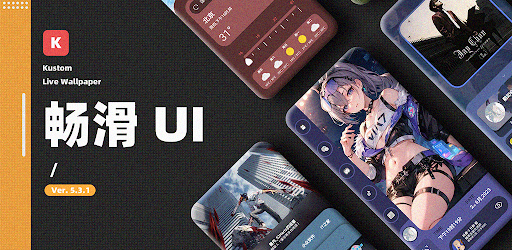
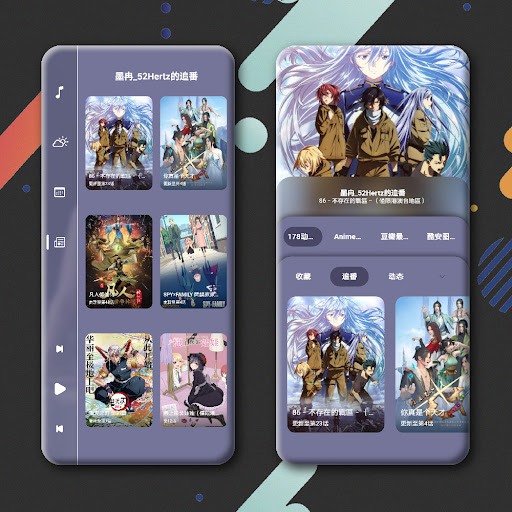
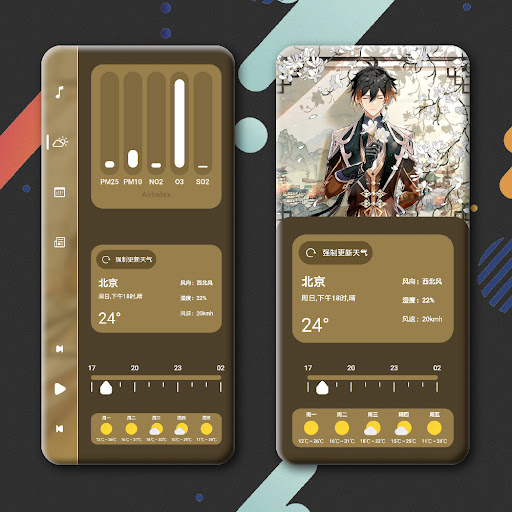
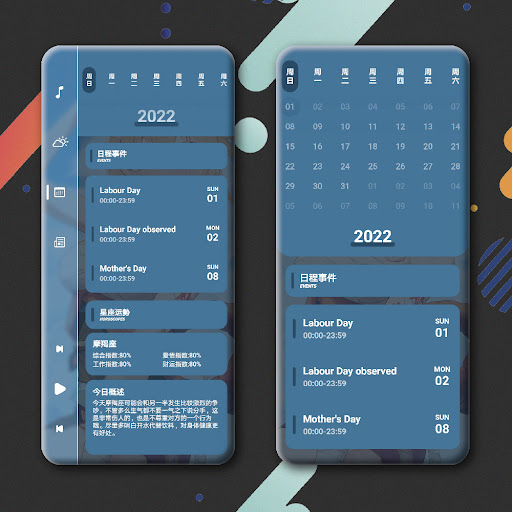
App Description
Simple and not fancy, the animation effect is smooth, beautiful and generous.
*** ⚠️ ATTENTION: THIS IS NOT A STAND-ALONE APP ⚠️ ***
You must have KLWP Pro Key installed to use this preset. The free version of KLWP does not allow importing presets from third-party apps.
━━━━━━━━━━━━━━━━━━━━━━━━
✨ SILK UI for KLWP
Experience a unified Material 3 design system with advanced shadow effects and smooth animations directly on your home screen.
🔧 REQUIREMENTS
1. KLWP (Live Wallpaper Maker):
https://play.google.com/store/apps/details?id=org.kustom.wallpaper
2. KLWP Pro Key (Paid):
https://play.google.com/store/apps/details?id=org.kustom.wallpaper.pro
3. Nova Launcher (Recommended):
https://play.google.com/store/apps/details?id=com.teslacoilsw.launcher
━━━━━━━━━━━━━━━━━━━━━━━━
📲 INSTALLATION GUIDE
1. Install KLWP, KLWP Pro Key, and a compatible launcher (Nova recommended).
2. Open this app (Silk UI).
3. Select the widget/preset you wish to apply.
4. The app will open the KLWP editor.
5. Tap the "Save" icon (floppy disk) at the top right.
6. Set KLWP as your system wallpaper if prompted.
⚙️ LAUNCHER SETUP (Important!)
- Page Count: You must set exactly 4 Pages in your launcher.
- Wallpaper Scrolling: Ensure wallpaper scrolling is ENABLED in your launcher settings.
- Dock/Status Bar: Hiding them is recommended for the immersive look.
━━━━━━━━━━━━━━━━━━━━━━━━
📢 NOTES & SUPPORT
- ❌ Tablet devices are not supported.
- ❌ Landscape mode is not supported.
- 💬 Need help? Join our Discord server:
https://discord.gg/SWaH6jBjCU