DIGI Clock Widget


DIGI Clock Widget Summary
DIGI Clock Widget is a free, ad-supported, with in-app purchases Android app in Personalization by ForestTree. Released in Jul 2011 (15 years ago). It has about 14M+ installs and 176K ratings with a 4.47★ (good) average. Based on AppGoblin estimates, it reaches roughly 32K monthly active users and generates around $<10K monthly revenue (56% IAP / 44% ads). Store last updated Sep 10, 2026
Recent activity: 5.4K installs this week (32K over 4 weeks) showing below average growth , and 100 new ratings this week View trends →
SDK intelligence: AppGoblin detected 4 development tools(e.g. Google), 2 ad networks, 1 mediation,and 1 analytics: product integrated into DIGI Clock Widget. View full SDK list →
Data tracking: The app's network data flows (API traffic to/from the app and its SDKs) were last crawled on Dec 21, 2025.
DIGI Clock Widget SDKs Summary
DIGI Clock Widget was last scanned for SDKs on 2026-08-11. Below is the overview of third-party companies detected in the app. The full list of SDKs, permissions and unknowns is available here.
 Google
 Facebook
 Square
 Airbnb Engineering
 Kotlin
 AdMob
AdMob Firebase
4.47★
Ratings: 176K
Screenshots



App Description
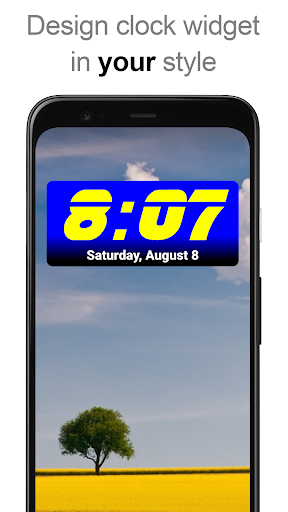
Highly customizable digital time and date Home screen widget
"DIGI Clock Widget" is a set of free and highly customizable Home screen digital time and date widgets:
2x1 widget - small
4x1 and 5x1 widget - wide, optionally with seconds
4x2 widget - big
5x2 and 6x3 widget - for tablets.
Features lots of customizations, like:
- widget preview during setup
- select widget click actions: tap on widget to load alarm application, widget settings or any installed application
- allows you select your preferred colors for time and date
- shadow effect with selectable color
- outlines
- locale preference, set date output in your language
- plenty of date formats + customizable date format
- show/hide AM-PM
- 12/24 hour selection
- alarm icon
- show time with seconds option (for 4x1 and 5x1 widget)
- widget background with selectable color and opacity from 0% (transparent) to 100% (completely opaque)
- as widget background you can use single color, two colors gradient or simply use your own photo
- 40+ great fonts for time and date, hundreds of fonts available for download, or use your favorite font file from device memory
- compatible with Android 11
- tablets friendly
... and even more ...
How to use?
This is a Home screen widget, please follow this instruction on how to add the widget to your Home screen:
• Press the plus (+) button below the widget preview when available.
• Select desired widget size.
• Add widget to the Home screen from shown dialog.
or add widget manually:
• Long press empty space on your home screen.
• Click “Widgets” from shown options.
• Scroll down until you find "DIGI Clock”.
• Touch and hold the desired widget’s icon, slide your finger where you want to place it, and lift your finger.
This instruction may differ from device to device of by device manufacturer.
If there is missing "DIGI Clock" in list of widgets, try to restart your device.
NOTICE
Please exclude this widget from any task killers, this will resolve the time freezing issue in most instances.
Thanks for using DIGI Clock Widget & enjoy!