Modern Pilot With Complication


Modern Pilot With Complication Summary
Modern Pilot With Complication is a mobile Android app in Personalization by Cyrus Nielsen. Released in Apr 2025 (1 year ago). It has about 4.00+ installs Based on AppGoblin estimates, it reaches roughly 1.00 monthly active users . Store metadata: updated Apr 12, 2025.
Recent activity: 1.00 installs this week (1.00 over 4 weeks) showing exceptional growth View trends →
Store info: Last updated on Google Play on Apr 12, 2025 .
0★
Ratings: 0
Screenshots



App Description
A bold, aviation-inspired watch face for Wear OS with customizable complication
Take off with Skrukketroll Pilot II, a high-contrast, aviation-style Wear OS watch face built for clarity and performance. Inspired by classic pilot watches, this design features bold hour markers, a signature triangle at 12 o'clock, and sleek hands for easy readability in all conditions.
🔧 Features:
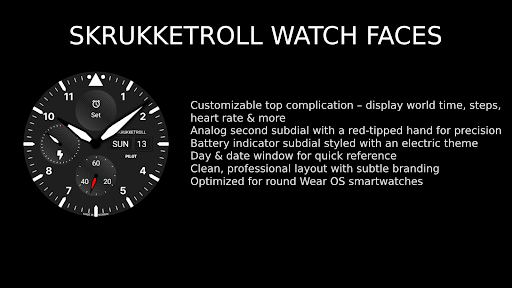
Customizable top complication – display world time, steps, heart rate & more
Analog second subdial with a red-tipped hand for precision
Battery indicator subdial styled with an electric theme
Day & date window for quick reference
Clean, professional layout with subtle branding
Optimized for round Wear OS smartwatches
Designed for precision and ready for your next mission.
Whether you’re a frequent flyer or just love pilot watch aesthetics, Skrukketroll Pilot II delivers timeless function on your wrist.
⚠️ Important: If the “Customize” screen does not open while Skrukketroll is currently in use on your watch, do this:
1- Select another watch face on the watch.
2- Open Customize and choose Skrukketroll to perform your changes.
3- After customizing, reselect Skrukketroll as your active face.
Alternatively, you can customize the face from the companion app (for example, Samsung Wear).