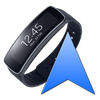

Gear Fit Navigation
ASO Keyword Dashboard
Tracking 62 keywords for Gear Fit Navigation in Google Play
Gear Fit Navigation tracks 62 keywords (no keywords rank yet; 62 need traction). Key metrics: opportunity 70.8, difficulty 49.5.
See Google Navigation instructions on your Samsung Gear Fit 1 smartwatch.
Tracked keywords
62
0 ranked • 62 not ranking yet
Top 10 coverage
—
Best rank — • Latest leader —
Avg opportunity
70.8
Top keyword: gear
Avg difficulty
49.5
Lower scores indicate easier wins
Opportunity leaders
- 61.3
gear
Opportunity: 74.0 • Difficulty: 44.9 • Rank —
Competitors: 778
- 65.8
direction
Opportunity: 74.0 • Difficulty: 42.8 • Rank —
Competitors: 824
- 65.9
recommend
Opportunity: 74.0 • Difficulty: 41.8 • Rank —
Competitors: 735
- 64.2
icons
Opportunity: 74.0 • Difficulty: 42.3 • Rank —
Competitors: 450
- 63.4
enabled
Opportunity: 74.0 • Difficulty: 50.1 • Rank —
Competitors: 425
Unranked opportunities
gear
Opportunity: 74.0 • Difficulty: 44.9 • Competitors: 778
direction
Opportunity: 74.0 • Difficulty: 42.8 • Competitors: 824
recommend
Opportunity: 74.0 • Difficulty: 41.8 • Competitors: 735
icons
Opportunity: 74.0 • Difficulty: 42.3 • Competitors: 450
enabled
Opportunity: 74.0 • Difficulty: 50.1 • Competitors: 425
High competition keywords
access
Total apps: 341,428 • Major competitors: 12,591
Latest rank: — • Difficulty: 58.5
download
Total apps: 339,948 • Major competitors: 17,555
Latest rank: — • Difficulty: 56.2
start
Total apps: 202,716 • Major competitors: 13,069
Latest rank: — • Difficulty: 56.1
see
Total apps: 164,214 • Major competitors: 8,204
Latest rank: — • Difficulty: 58.2
phone
Total apps: 153,349 • Major competitors: 9,537
Latest rank: — • Difficulty: 59.5
All tracked keywords
Includes opportunity, difficulty, rankings and competitor benchmarks
| Major Competitors | |||||||
|---|---|---|---|---|---|---|---|
| download | 65 | 100 | 56 | 88 339,948 competing apps Median installs: 2,124 Avg rating: 4.1 | — | — | 17,555 major competitor apps |
| navigation | 71 | 100 | 50 | 72 31,424 competing apps Median installs: 1,826 Avg rating: 4.0 | — | — | 1,263 major competitor apps |
| maps | 73 | 100 | 56 | 69 20,182 competing apps Median installs: 3,802 Avg rating: 4.0 | — | — | 1,507 major competitor apps |
| security | 70 | 100 | 54 | 75 53,023 competing apps Median installs: 2,102 Avg rating: 3.9 | — | — | 3,031 major competitor apps |
| notifications | 68 | 100 | 54 | 80 99,787 competing apps Median installs: 851 Avg rating: 4.0 | — | — | 3,135 major competitor apps |
| version | 70 | 100 | 54 | 76 57,149 competing apps Median installs: 4,948 Avg rating: 4.0 | — | — | 3,390 major competitor apps |
| phone | 67 | 100 | 60 | 83 153,349 competing apps Median installs: 3,571 Avg rating: 4.0 | — | — | 9,537 major competitor apps |
| option | 70 | 100 | 49 | 74 47,609 competing apps Median installs: 3,050 Avg rating: 4.1 | — | — | 2,538 major competitor apps |
| connect | 67 | 100 | 55 | 81 130,308 competing apps Median installs: 968 Avg rating: 4.0 | — | — | 5,049 major competitor apps |
| install | 70 | 100 | 49 | 76 59,454 competing apps Median installs: 3,202 Avg rating: 4.1 | — | — | 2,863 major competitor apps |
| access | 65 | 100 | 59 | 88 341,428 competing apps Median installs: 1,180 Avg rating: 4.0 | — | — | 12,591 major competitor apps |
| start | 66 | 100 | 56 | 84 202,716 competing apps Median installs: 2,662 Avg rating: 4.0 | — | — | 13,069 major competitor apps |
| text | 69 | 100 | 57 | 78 78,154 competing apps Median installs: 4,541 Avg rating: 4.1 | — | — | 4,690 major competitor apps |
| notification | 70 | 100 | 49 | 74 44,397 competing apps Median installs: 1,700 Avg rating: 4.1 | — | — | 2,081 major competitor apps |
| fit | 72 | 100 | 48 | 71 29,716 competing apps Median installs: 1,942 Avg rating: 4.1 | — | — | 1,672 major competitor apps |
| see | 67 | 100 | 58 | 83 164,214 competing apps Median installs: 2,022 Avg rating: 4.0 | — | — | 8,204 major competitor apps |
| please | 67 | 100 | 53 | 81 127,880 competing apps Median installs: 5,043 Avg rating: 4.1 | — | — | 6,927 major competitor apps |
| devices | 70 | 100 | 54 | 75 53,202 competing apps Median installs: 2,076 Avg rating: 3.9 | — | — | 2,847 major competitor apps |
| 69 | 100 | 73 | 76 63,564 competing apps Median installs: 3,082 Avg rating: 4.0 | — | — | 4,408 major competitor apps | |
| smartphone | 71 | 100 | 47 | 74 41,513 competing apps Median installs: 2,771 Avg rating: 3.8 | — | — | 1,887 major competitor apps |
| displayed | 72 | 100 | 45 | 69 21,114 competing apps Median installs: 2,506 Avg rating: 4.0 | — | — | 806 major competitor apps |
| go | 68 | 100 | 57 | 80 101,471 competing apps Median installs: 3,250 Avg rating: 4.0 | — | — | 6,485 major competitor apps |
| show | 69 | 100 | 53 | 77 64,841 competing apps Median installs: 6,486 Avg rating: 4.0 | — | — | 5,768 major competitor apps |
| allow | 70 | 100 | 50 | 75 48,017 competing apps Median installs: 2,667 Avg rating: 3.9 | — | — | 2,381 major competitor apps |
| ensure | 69 | 100 | 51 | 77 70,709 competing apps Median installs: 1,000 Avg rating: 3.9 | — | — | 2,620 major competitor apps |
App Description
See Google Navigation instructions on your Samsung Gear Fit 1 smartwatch.
Note:
- Supports horizontal and vertical layout
- Additional to the text it shows icons for left, right, continue, highway exit and u-turn.
- Option to vibrate
- This application only works on devices which have Gear Fit Manager.
How to use:
- Install Gear Fit Manager and connect with your Gear Fit device.
- Download and install this Gear Fit Navigation app.
- Start Gear Fit Navigation app on your phone.
- Allow the app to read notifications. (Go to: Settings > Security > Notification Access and enable Gear Fit Navigation). Then restart the app.
- Start Google Maps Navigation and messages and direction icon will be pushed to your smartwatch.
Troubleshooting
- If the app still only shows the "waiting" message, please ensure that maps notifications are activated and displayed on your phone (Go to: Settings > More > Applications > Maps and enable "Show notifications").
- Restart smartphone AND Gear Fit
- Uninstall and reinstall the app
For non-samsung smartphone users: Gear Fit officially only works with Samsung smartphones. However GearFitManager version 1.108 works as well on phones as with this app, so we recommend to use version 1.108 if you have problems.
For Gear Fit2 please use this app: https://play.google.com/store/apps/details?id=smartwatchstudios.app.gearfit20navigation
SAMSUNG_CUP_ENABLED
