OfficeMail Pro


OfficeMail Pro Summary
OfficeMail Pro is a ad-supported, with in-app purchases Android app in Business by NextIntelligence.ai. Released in Mar 2022 (4 years ago). It has about 22.3K+ installs and 374 ratings with a 3.31★ (mixed) average. Based on AppGoblin estimates, it reaches roughly 2.6K monthly active users and generates around $<10K monthly revenue (54% IAP / 46% ads). Store metadata: updated Mar 16, 2026, version 3107230.
Recent activity: 810 installs this week (2K over 4 weeks) showing strong growth , and 1.00 new ratings this week View trends →
Data tracking: SDKs and third-party integrations were last analyzed on Mar 19, 2026.
Store info: Last updated on Google Play on Mar 16, 2026 (version 3107230).
OfficeMail Pro was last scanned for SDKs 2026-03-19. Below is the overview of third party companies detected in the app. The full list of raw SDKs, app permissions and unknown SDKs is available here.
 Bumptech
 Google
 Jake Wharton
 Apollo
 Firebase
 LinkedIn
 Mixpanel
3.31★
Ratings: 374
Screenshots
App Description
Secure Email, Calendar, Contacts, To Do & Notes for Microsoft Exchange and Gmail
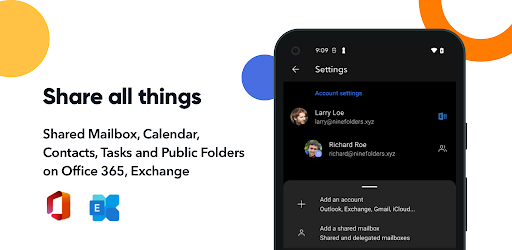
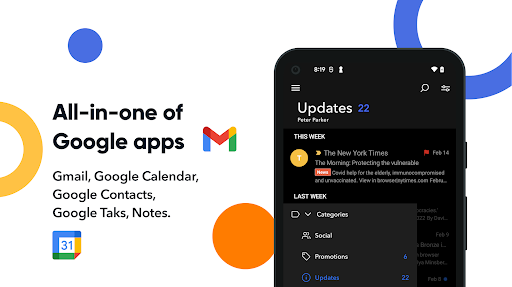
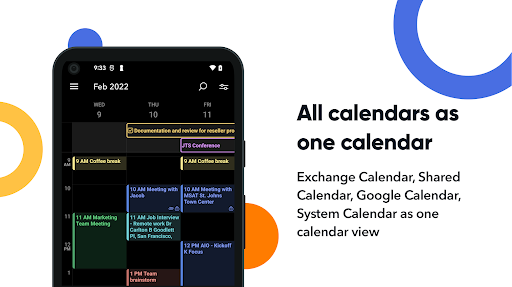
OfficeMail Pro, an email client app using ActiveSync is not only a secure and safe email client but also an app reinforcing a various convenience aspect. It is a product that has been significantly improved and implemented plenty of features like the shared mailbox and calendars for collaborations with your colleagues. Therefore, it will be an excellent gift for those who are looking for secure email for business and personal use. OfficeMail Pro will provide powerful functions that support Microsoft Exchange Server, Office365, and Google Workspace, as well as all of the internal apps such as email, calendar, contacts, tasks, and notes in Microsoft Exchange and Google Workspace.
OfficeMail Pro is not a free app, it's a trial app that you may purchase after reviewing for 2 weeks.
After enough time using the free trial for 2 weeks and you need to purchase the subscription membership you want if you would be satisfied.
For the subscription, it's easy. You should subscribe to a yearly subscription if you want to use OfficeMail Pro.
- Yearly subscription: $19.99
Your subscription automatically renews unless auto-renew is turned off 24-hours before the end of the current period. You can manage your subscription and turn off auto-renew from your Google Play Account Settings.
Any unused portion of a free trial period, if offered, will be forfeited when the user purchases a subscription to that publication, where applicable.
Key features
- Direct Push Synchronization with Exchange ActiveSync
- OfficeMail Pro operates the push server on its own.
- Great user experience & beautiful GUI
- Unified mailboxes
- Multiple accounts
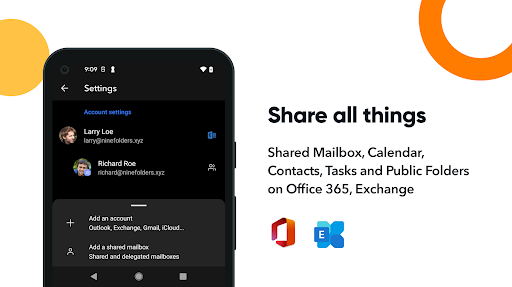
- Shared mailboxes and calendars.
- Rich-Text editor
- S/MIME support
- Global Address List (GAL)
- Select folders to push (Email notification per each folder)
- Full HTML signature editor
- Automatic setup for many popular email services like Office 365, Outlook.com, Gmail or Google Workspace(G Suite).
- Full HTML (inbound, outbound)
- Conversation mode supports
- Supports the Modern Authentication for Office 365.
- Supports a workspace for accounts
- Notification category supports
- Dark theme
Supported servers
- Exchange Server 2010, 2013, 2016, 2019
- Office 365, Exchange Online
- Outlook.com
- Gmail, Google Workspace (G Suite)
- Yahoo, iCloud, GMX, AOL
Customer support
If you have a question, bug report, or a special request, send an email to help@re-work.zendesk.com, and we will get back to you as soon as we can.
Privacy Policy: https://www.rework.so/privacy-policy
Terms and Conditions: https://www.rework.so/terms-and-conditions