Multiread - QR and Barcode


Multiread - QR and Barcode Summary
Multiread - QR and Barcode is a ad-supported Android app in Tools by Spiral Rainbow. Released in Sep 2022 (3 years ago). It has about 3.8K+ installs Based on AppGoblin estimates, it reaches roughly 184 monthly active users and generates around $<10K monthly revenue (0% IAP / 100% ads). Store metadata: updated Aug 21, 2024.
Store info: Last updated on Google Play on Aug 21, 2024 .
0★
Ratings: 0
Screenshots



App Description
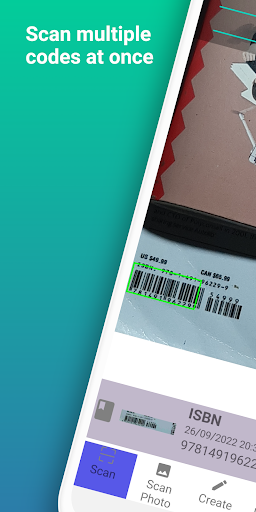
Scan or generate multiple QR & Barcodes at once.
Try out the best scanner you've ever seen! Simply launch the app and you're done.
Multiread - QR and Barcode requires only one step: automatically detect QR and barcode as long as the app is open. It will begin scanning automatically. There is no need to press any buttons.
All QR and barcode types, including URL, phone, message, contact, email, product, ISBN, calendar event, driver license, location, text, and Wi-Fi, can be scanned and read. It will display the result with options for the next operation after automatically scanning and decoding. It also allows you to share and save the results.
The app also has a generator feature that allows you to easily create your own QR and barcode.
The coolest thing is that you can scan or create many QR & barcodes simultaneously. That will save a lot of time.
WHY CHOOSE OUR APP?
✔Totally free, you have a full control to all features
✔Support the most common QR & barcodes formats
✔Scan multiple QR & barcodes at once
✔Scan multiple photos from gallery at once
✔Create multiple QR & barcodes simultaneously
✔Flashlight supported to scan in the dark
✔History with search and filter
✔Save scanned results in many file formats (*.csv, *.txt, *.pdf) for future usage.
✔Customize brightness supported when scanning
✔Customize QR Code generator supported
✔Privacy safe
✔No internet connection required to scan
How to Use
1. Point camera to the QR or Barcode
2. Automatically scan, decode, and save results to history
3. Get results and relevant options