Video Downloader, Status-Saver


Video Downloader, Status-Saver Summary
Video Downloader, Status-Saver is a ad-supported, with in-app purchases Android app in Tools by Likeme Tech Studio. Released in Oct 2024 (1 year ago). It has about 8M+ installs and 14.1K ratings with a 4.53★ (excellent) average. Based on AppGoblin estimates, it reaches roughly 657.3K monthly active users and generates around $100K+ monthly revenue (43% IAP / 57% ads). Store metadata: updated Feb 9, 2026, version 49.
Recent activity: 49.6K installs this week (301.8K over 4 weeks) showing declining growth , and 337 new ratings this week View trends →
Advertising: AppGoblin detected 1.00 monetized ad creatives shown inside the app.
Data tracking: SDKs and third-party integrations were last analyzed on Feb 17, 2026.
Store info: Last updated on Google Play on Feb 9, 2026 (version 49).
Video Downloader, Status-Saver was last scanned for SDKs 2026-02-17. Below is the overview of third party companies detected in the app. The full list of raw SDKs, app permissions and unknown SDKs is available here.
 Square
 Google
 Kotlin
 Unity
Unity Umeng
Umeng Firebase
 Mintegral
 Vungle
 AdMob
AdMob4.53★
Ratings: 14.1K
Screenshots

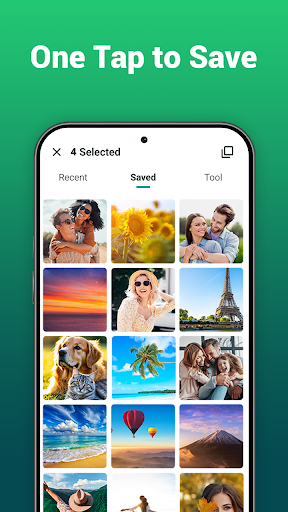


App Description
Status-Saver, Video Downloader, Status Downloader, Repost, Save Status, Fastsave
When you want to save video, save status or download status, picture from your friends, our video status, video downloader, status downloader can help you!
Features of status saver, video download:
Split Video:
• You can easily split a video into multiple segments using status-saver, status downloader. What's more, you can easily split your video into the desired length, such as 10 seconds, 20 seconds, or 30 seconds, allowing you to precisely control the duration of each clip, making it convenient for sharing on various platforms.
Direct Chat in video saver, story saver:
• Send a message without saving your mobile number to contacts in video downloader, Status Saver
Fastsave:
• Quicksave status using save status, save stories
Repost:
• Repost a status in one click
How to Use Status-Saver, VideoSaver:
1. Open instant messaging software on your Android Device
2. View Your Friend's status
3. Back to Status Downloader, Status Download App
4. Click Save Button, save status, download status, save video
Tips from status downloads:
• Please make sure to grant permission before you save video status by status saver, status downloader,
• We Will Not Collect Any Personal Informations.
Disclaimer:
• Status Saver, Video Downloader is NOT Affiliated With Any 3rd Party.
Copyright-Protected Content Cannot be downloaded illegally and is Governed by National Laws. Please Make Sure You have the Right to download status or save video.