Banking4 Home


Banking4 Home Summary
Banking4 Home is a mobile Android app in Finance by Subsembly GmbH. Released in Oct 2012 (13 years ago). It has about 70.3K+ installs and 4K ratings with a 4.60★ (excellent) average. Based on AppGoblin estimates, it reaches roughly 1K monthly active users . Store metadata: updated Mar 31, 2026.
Recent activity: 45 installs this week (1.5K over 4 weeks) showing steady growth , and -1 new ratings this week View trends →
Store info: Last updated on Google Play on Mar 31, 2026 .
4.6★
Ratings: 4K
Screenshots



App Description
BANKING FOR PROFESSIONALS
BANKING FOR PROFESSIONALS
With Banking4 Home, you have complete control over all your accounts across multiple banks – simply, reliably, and securely.
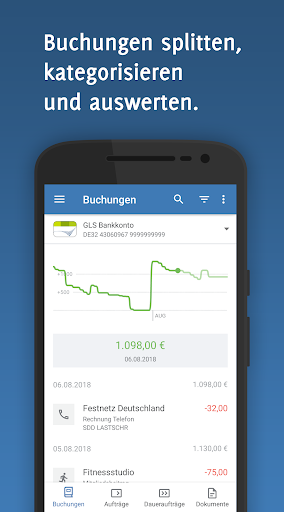
Perfectly categorized and accessible for years to come: Split transactions, freely definable categories, and dynamic rules simplify detailed transaction analysis – easily and almost fully automatically.
Your sensitive financial data is securely stored in a highly encrypted data vault – and with Dropbox or WebDAV, it can even be used across platforms.
No other app offers so much: For example, you can retrieve genuine electronic bank statements as PDFs.
Security is paramount: Banking4 stands for exceptionally secure online banking: Naturally, the new chipTAN, smartTAN, and mobileTAN methods are supported, as well as traditional TAN methods.
FEATURES
• Checking account, money market account, savings account, securities account, credit card, fixed-term deposit, foreign currency account, offline account, cash balance
• Balance, transactions, transfers, scheduled orders, standing orders, international transfers
• Photo transfer
• Split transactions and user-defined categories
• Access to electronic bank statements
• Convenient search and filtering of account transactions
• Creation of PDF printouts
• Bank connection via FinTS
• Scanning QR codes for transfers
PERMISSIONS
• Storage: Access to documents and downloads for storage, import, and export
• Camera: For photo transfers and QR code transfers
• Bluetooth: For Bluetooth ChipTAN readers
• Location: For pairing with Bluetooth ChipTAN readers running Android 6.0 or later