Simple Clock Widget


Simple Clock Widget Summary
Simple Clock Widget is a free, ad-supported, with in-app purchases Android app in Tools by Smart and Small Software. Released in Aug 2016 (10 years ago). It has about 74K+ installs and 473 ratings with a 3.66★ (average) average. Based on AppGoblin estimates, it reaches roughly 2.4K monthly active users and generates around $<10K monthly revenue (45% IAP / 55% ads). Store last updated Oct 10, 2026
Recent activity: 384 installs this week (1.2K over 4 weeks) showing exceptional growth View trends →
Simple Clock Widget SDKs Summary
App not yet scanned for SDKs.
3.66★
Ratings: 473
Screenshots


App Description
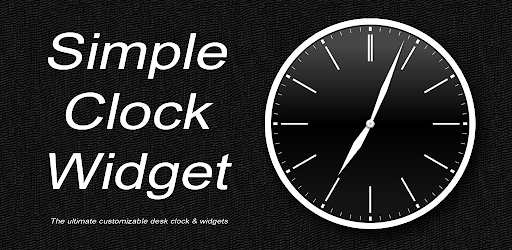
The ultimate customizable desk clock & widgets
This app is a highly customizable analog clock application. In addition to a home screen widget, it features a "Desk Clock Mode" that turns your smartphone into a stylish interior timepiece.
Updated with the latest Android design guidelines (Edge-to-Edge), it blends optimal visibility with refined aesthetics. Packed with details for true watch enthusiasts, it even includes options for a sweeping second hand—mimicking a mechanical watch—or subtle hand alignments that replicate real-world craftsmanship.
< Key Features >
~ Limitless Customization ~
Craft your ultimate personalized timepiece!
Hands: Choose from Sword, Dauphine, Breguet, Leaf, and more. Customize the colors for the hour, minute, and second hands independently.
Dials: A wide variety of styles, including solid colors, wood, marble, metal, and leather. You can also use custom images from your device.
Indices: Select Arabic numerals, Roman numerals, or bar markers. Adjust size and position easily with sliders.
Backgrounds: Set preset images or your own photos as the background in Desk Clock Mode.
Logos: Add custom multi-line text to the watch face to create your own branded timepiece.
Save multiple custom clock designs on your device and reload them anytime (Premium feature).
~ Desk Clock Mode ~
A full-screen clock mode perfect for desk use or while charging.
Immersive Mode: Tap the screen to hide menus and status bars for a clean, completely full-screen display.
Date: Displays the year, month, date, and day of the week with balanced typography.
Calendar: Tap to toggle text colors between black and white to match any background.
~ Premium Mode ~
Watch a short video to unlock "Premium Mode" and gain access to all in-app items for 72 hours.
~ Second Hand Customization ~
Display a second hand on both the desk clock screen and the home screen widget.
Sweep Movement: Enjoy smooth, continuous second-hand motion in Desk Clock Mode.
Authentic Motion: Replicates the slight play and micro-alignment variations of mechanical clock hands.
Note: On newer devices (Android 15 and above), the widget's second hand motion may become unstable. If this occurs, please disable the second hand for the widget.
~ Feature-Rich Essentials ~
Packed with core timepiece functionality:
Hourly Chimes: Get notified with sounds, vibrations, or light pulses. You can set it to chime the exact hour count (1–12) so you know the time without looking.
Alarm, Timer & Stopwatch: Easily access core tools right from the Desk Clock Mode menu.
~ Battery Friendly ~
Rendering stops whenever the app moves to the background, conserving battery life.
< How to Use >
● Customizing Your Clock
Customize up to 11 elements: Background, Dial, Bezel, Date, Hour Hand, Minute Hand, Second Hand, Main Logo, Sub Logo, Indices, and Markers.
1. Tap the app icon or widget to open Desk Clock Mode.
2. Select "Customize" from the menu.
3. Choose an element to edit and adjust its design.
4. Your changes will apply to both Desk Clock Mode and the widget.
● Using Desk Clock Mode
1. Tap the app icon or widget to start Desk Clock Mode.
2. Tap anywhere on the screen to hide the top/bottom menus and enter Immersive Mode. Tap again to return.
● Customizing Desk Clock Mode
1. Tap the gear icon in the top right corner to open settings.
2. Toggle dates, calendars, keep-awake settings, second-hand behavior, and Night Mode.
3. Resize and reposition the clock, date, and calendar elements freely.
● Adding Home Screen Widgets
Place your fully customized clock designs right on your home screen.
Experience the ultimate customizable clock app today!