Muver: Gig Driver workspace


Muver: Gig Driver workspace Summary
Muver: Gig Driver workspace is a with in-app purchases Android app in Maps And Navigation by Gig Partners Inc. Released in Aug 2019 (6 years ago). It has about 294.3K+ installs and 3.4K ratings with a 3.72★ (average) average. Based on AppGoblin estimates, it reaches roughly 6.1K monthly active users and generates around $<10K monthly revenue (100% IAP / 0% ads). Store metadata: updated Jun 25, 2024, version 8013.
Recent activity: 48 installs this week (19.6K over 4 weeks) showing exceptional growth , and -3 new ratings this week View trends →
Data tracking: SDKs and third-party integrations were last analyzed on Apr 3, 2026.
Store info: Last updated on Google Play on Jun 25, 2024 (version 8013).
Muver: Gig Driver workspace was last scanned for SDKs 2026-04-03. Below is the overview of third party companies detected in the app. The full list of raw SDKs, app permissions and unknown SDKs is available here.
 Plaid
Plaid Adapty
 Square
 BouncyCastle
 Bumptech
 Google
 Facebook
 Firebase
 Amplitude
 AppsFlyer
3.72★
Ratings: 3.4K
Screenshots


App Description
Automate your rideshare & delivery driving with Muver!
Tired of switching between delivery and ridesharing apps? Do you lose rides after forgetting to switch other apps offline while being on a call in another app? Do you feel nervous accepting rides while driving? Muver will help you to forget about this!
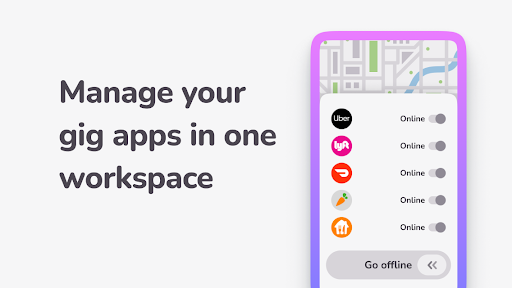
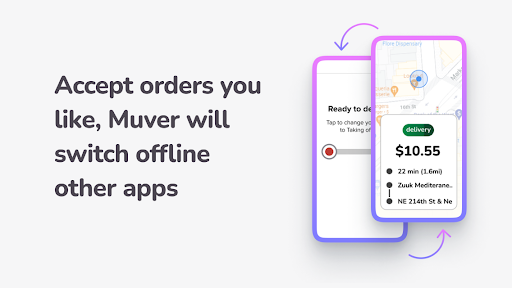
Muver automatically switches Uber, Lyft, Doordash, Instacart and Grubhub online-offline once you accept and complete rides. Rider has cancelled a call? No problem - Muver will switch other apps on.
MAKE UP TO 30% MORE
Working with several delivery and ridesharing apps (Uber Driver, Lyft Driver, DoorDash - Driver, Instacart Shopper and Grubhub for Drivers) and Muver at the a time will reduce your needless idling and increase your income.
DRIVE SAFE WITH COMFORT
There is no need to touch your smartphone screen many times while making rides - Muver will do the most part of this job. Have you forgotten to switch other apps offline being already on a ride? Don't worry! Muver has already done this. Are you afraid of missing a ride while driving? Muver will accept it automatically. Muver knows everything about safe and comfort driving while making rides.
GET STARTED WITH MUVER
1. Download Muver and login with your phone number;
2. Let Muver get the access to your smartphone functions and location;
3. Add delivery and ridesharing apps (Uber Driver, Lyft Driver, DoorDash - Driver, Instacart Shopper and Grubhub for Drivers) you work with to the Muver homescreen;
4. You can enable rides auto accept and customize preferable settings for Uber, Lyft, Doordash, Instacart and Grubhub;
5. Now you don't have to switch other apps offline once you accept a ride;
6. Once you complete a ride Muver will switch other apps online.
You can start free trial right now to value all Muver features!
Drive a car with pleasure, make extra money with Muver, feel safe and comfort on the road. Muver will assist you in making rides from Uber, Lyft, Doordash, Instacart and Grubhub. As a result, you have 30% plus to your income accepting only preferable rides.
Have additional questions? Ask the support: support@muver.pro
Our website: https://muver.pro
Due to technical features Muver compatible only with Android devices 7.0 and higher versions.
Muver uses Accessibility Service to automate switching between ridesharing applications and accept rides while driving. Muver can obtain, refer and keep information from the ridesharing and navigation applications screen (Uber Driver, Lyft Driver, DoorDash - Driver, Instacart Shopper and Grubhub for Drivers) to improve its' features and user's experience. Such information will not be transmit to third parties except purposes above. Additionally, Muver will press buttons in applications to accept rides and switch your state in ridesharing apps. You can obtain additional information in our Licence Agreement and Privacy Policy on our website.
Accessibility Service features used:
- Reading screen content - to parse incoming order details and Gig app statuses
- Emulating gestures (swipes) - to auto accept and decline incoming orders
- Emulating taps - to switch Gig app statuses
- Reading device notifications - to get information about incoming orders from Gig apps