Floating Info


Floating Info Summary
Floating Info is a mobile Android app in Tools by Alexandros Schillings. Released in Jul 2014 (11 years ago). It has about 2.5K+ installs Based on AppGoblin estimates, it reaches roughly 83 monthly active users . Store metadata: updated Nov 12, 2017.
Store info: Last updated on Google Play on Nov 12, 2017 .
4.35★
Ratings: 0
Screenshots

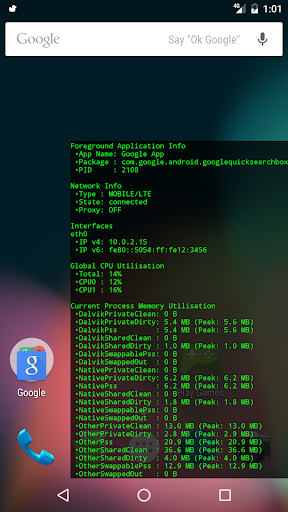
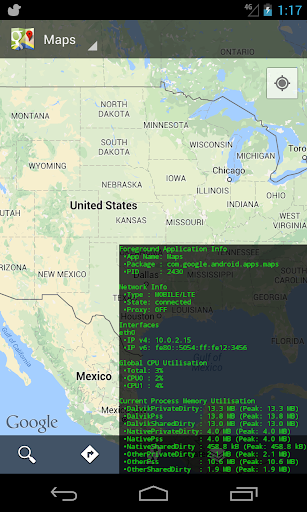
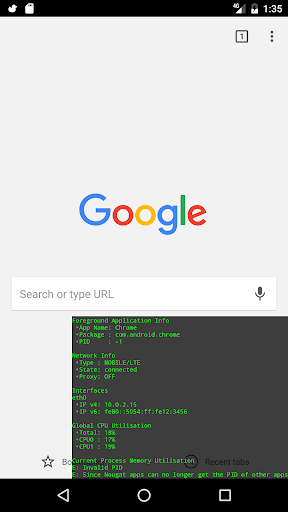
App Description
Show information about the currently foregrounded app and the OS as an overlay.
Fun fact: Since Android Nougat apps cannot get the PID of other apps. This makes displaying the Memory info for apps other than Floating Info itself impossible. All other functionality will still work.
Floating Info is an Android application that displays the following in a system overlay window:
The application name, package name and process id (except on Nougat+) of the application which is currently in the device's foreground
The Global CPU utilisation with a per-core breakdown - This is not foreground application specific.
Memory usage breakdown for the currently foregrounded process - except on Nougat+ (read the notes for the caveats).
Netork information like connection type, proxy status and IP address(es). Both IPv4 and IPv6
Notes and Caveats
---
* The application will show the memory allocation of the currently foregrounded process which it gets by getting the Process Id of the currently foregrounded activity. This means that if an application has spawned multiple processes, this application will only show the memory utilisation of the main process.
* The Memory information displayed come via a Debug.MemoryInfo object, while using reflection to expose a number of hidden fields.
* Data updates happen approximately every 1 second.
Android Memory Usage
---
Memory management on Android is pretty complex and the easiest way to get started with understanding it is reading this article (https://developer.android.com/tools/debugging/debugging-memory.html) - especially the "Viewing Overall Memory Allocations" section.
GitHub Link: https://github.com/alt236/Floating-Info---Android