Touch Calendar F


Touch Calendar F Summary
Touch Calendar F is a with in-app purchases Android app in Productivity by Touchable Apps. Released in Aug 2010 (15 years ago). It has about 1.2M+ installs and 5.8K ratings with a 3.58★ (average) average. Based on AppGoblin estimates, it reaches roughly 83 monthly active users and generates around $<10K monthly revenue (100% IAP / 0% ads). Store metadata: updated Aug 18, 2022, version 47.
Recent activity: -1 new ratings this week View trends →
Data tracking: SDKs and third-party integrations were last analyzed on Mar 23, 2026. The app's network data flows (API traffic to/from the app and its SDKs) were last crawled on Mar 23, 2026.
Store info: Last updated on Google Play on Aug 18, 2022 (version 47).
Touch Calendar F was last scanned for SDKs 2026-03-23. Below is the overview of third party companies detected in the app. The full list of raw SDKs, app permissions and unknown SDKs is available here.
 Kotlin
3.58★
Ratings: 5.8K
Screenshots

App Description
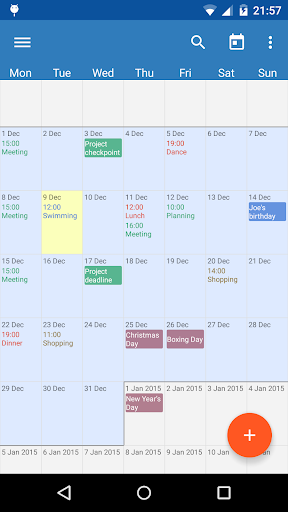
See your whole calendar at a glance.
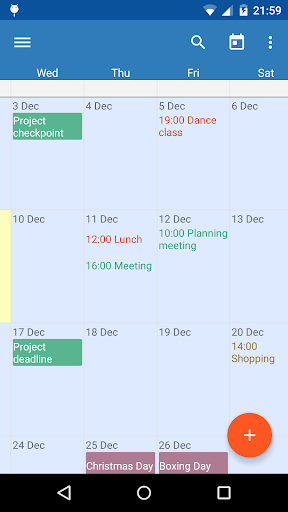
No more flipping between different calendar views. Touch Calendar does it all from one zoomable and scrollable view. Now with a beautiful Material Design interface.
Rated 95% by reghardware.com and 9/10 by WIRED ( http://goo.gl/lLPoa ).
Touch Calendar works with Google Calendar and any other calendars your phone supports.
This is the free version, that can be upgraded with a one-off purchase to get widgets to show your calendar directly on your phone's home screen.
Also features calendar search and custom repeating events (e.g. biweekly, bimonthly).
Touch Calendar is easy to use:
- pinch-zoom to zoom in
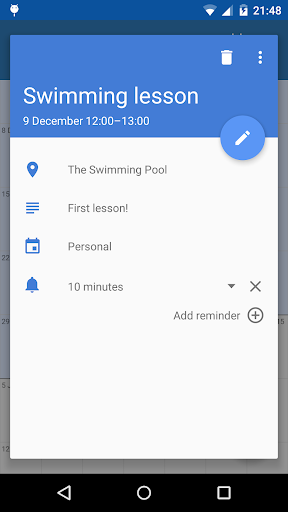
- tap an event to see its details
- tap-and-hold on a date to add a new event
- touch to scroll the calendar as much as you want, both forwards and backwards
- jump to today, or to any date from the menu
- calendar search
- set the font size and default zoom level from the Settings
- widgets so you can see your calendar on the home screen
Zoom and scroll your calendar with complete freedom!
Note: Text colour for events comes from the calendar colour. Set up different calendar colours in Google Calendar and they'll appear in Touch Calendar automatically.