JESIP


JESIP Summary
JESIP is a mobile Android app in Business by Eby Design. Released in Jan 2018 (8 years ago). It has about 121K+ installs Based on AppGoblin estimates, it reaches roughly 10.5K monthly active users . Store metadata: updated Jan 21, 2026.
Recent activity: 294 installs this week (1.1K over 4 weeks) showing steady growth View trends →
Store info: Last updated on Google Play on Jan 21, 2026 .
0★
Ratings: 0
Screenshots


App Description
Official JESIP App.
The official JESIP App supporting the use of the JESIP Joint Doctrine: the interoperability framework. The App is a useful tool for all levels of staff working in emergency response including within the emergency services and the Category 1 & 2 responders.
Main Features:
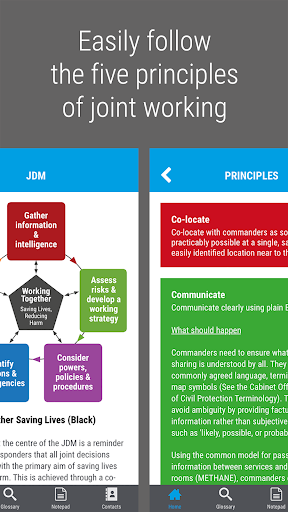
• Easily follow the five principles of joint working using the Joint Decision Model
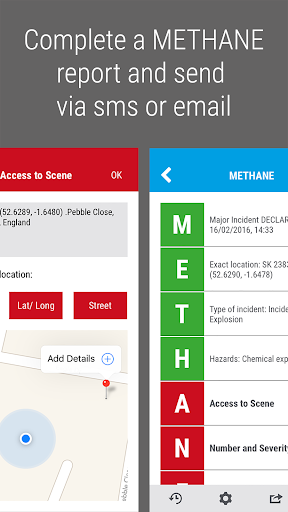
• Complete a METHANE report (or ETHANE for non-major incidents) and send via sms or email
• Find definitions to common terms using the Glossary
• Information on tabards worn by on-scene commanders
• Information about the mobile communications used by the emergency services, including handset instructions and how to change talk groups.
For more details about JESIP and the Joint Doctrine see the website www.jesip.org.uk
============
Note:
GPS and a data connection/mobile network is required to use some aspects of the METHANE reporting tool.
Our app includes essential Emergency and First Aid information, helping users to respond effectively to medical emergencies.
When using a mobile network, the minimum coverage required is:
• A 2G signal to be able to successfully share a METHANE report or checklist via SMS.
• A GPRS or EDGE (2.5G) signal to be able to successfully share a METHANE report or checklist via email
• A GPRS or EDGE (2.5G) signal to be able to successfully use the maps within METHANE. Although the App uses the device’s GPS to pinpoint your location on a map, without a data connection the app cannot load the map graphics.
The strength of the signal will also affect the speed and reliability of these tools.
All other features, such as Principles, JDM, Risk, Communications, Tabards and Glossary (minus link to the online Glossary), work independently and do not rely on a data connection or phone network.