Zoom Workplace for Intune


Zoom Workplace for Intune Summary
Zoom Workplace for Intune is a mobile Android app in Business by zoom.com. Released in May 2019 (7 years ago). It has about 18.7M+ installs and 30.2K ratings with a 3.79★ (average) average. Based on AppGoblin estimates, it reaches roughly 725.8K monthly active users . Store metadata: updated May 18, 2026, version 6700050.
Recent activity: 42.8K installs this week (165.9K over 4 weeks) showing steady growth , and 4.00 new ratings this week View trends →
Data tracking: SDKs and third-party integrations were last analyzed on May 28, 2026.
Store info: Last updated on Google Play on May 18, 2026 (version 6700050).
SDKs, Trackers & Permissions
Zoom Workplace for Intune was last scanned for SDKs 2026-05-28. Below is the overview of third party companies detected in the app. The full list of raw SDKs, app permissions and unknown SDKs is available here.
 JetBrains
 JetBrains IntelliJ
 Bumptech
 Kotlin
 Zoom
Zoom Firebase
App Details
App Store
Ads & App-Ads.txt
AppGoblin SDK Scans
3.79★
Ratings: 30.2K
Screenshots

App Description
AI-powered collaboration
Zoom Workplace for Intune is for admins to organize and help protect BYOD environments with mobile application management (MAM). This app helps admins to protect corporate data while keeping employees connected.
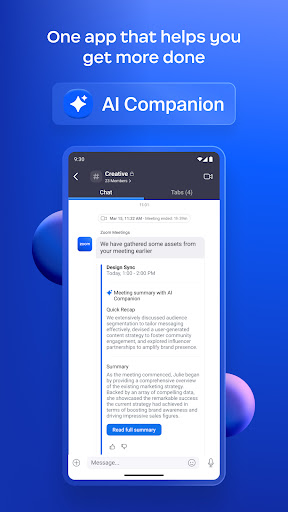
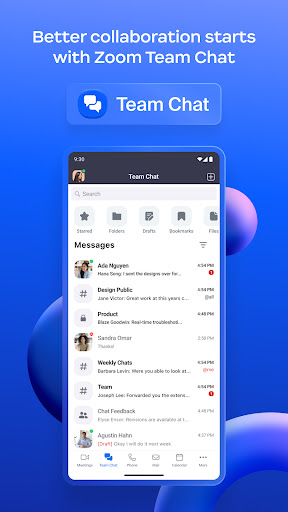
Reimagine how you work with Zoom Workplace, an all-in-one, AI-powered collaboration platform that combines team chat, meetings, phone, whiteboard, calendar, mail, notes, and more.
If you are looking for the end-user version of Zoom Workplace, download it here: https://itunes.apple.com/us/app/zoom-cloud-meetings/id546505307?mt=8
Zoom Workplace for Intune gives enterprise users all the features they expect from Zoom, while providing IT administrators expanded mobile app management capabilities to help prevent leakage of company information. And in the event of a lost or stolen device, IT can remove Zoom Workplace from the iPhone or iPad, along with any sensitive data associated with it.
IMPORTANT: This software requires your company’s work account and a Microsoft managed environment. Some functionality may not be available in all countries. If you have issues with this software or have questions about the use of it (including questions about your company’s privacy policy), please contact your company’s IT Administrator.
Follow us on social media @zoom
Have a question? Contact us at http://support.zoom.us.