Kwai Video Downloader


Kwai Video Downloader Summary
Kwai Video Downloader is a ad-supported Android app in Video Players by Film Photo - Analog Camera - Photo Editor. Released in Apr 2022 (4 years ago). It has about 756.9K+ installs and 19.7K ratings with a 4.63★ (excellent) average. Based on AppGoblin estimates, it reaches roughly 16.5K monthly active users and generates around $<10K monthly revenue (0% IAP / 100% ads). Store metadata: updated Oct 27, 2025, version 26.
Recent activity: 1.5K installs this week (6.9K over 4 weeks) showing below average growth , and 35 new ratings this week View trends →
Advertising: AppGoblin detected 1.00 monetized ad creatives shown inside the app.
Data tracking: SDKs and third-party integrations were last analyzed on Jan 26, 2026. The app's network data flows (API traffic to/from the app and its SDKs) were last crawled on May 31, 2026.
Store info: Last updated on Google Play on Oct 27, 2025 (version 26).
SDKs, Trackers & Permissions
Kwai Video Downloader was last scanned for SDKs 2026-01-26. Below is the overview of third party companies detected in the app. The full list of raw SDKs, app permissions and unknown SDKs is available here.
 AdMob
AdMob Google
 Firebase
 LinkedIn
 Kotlin
 Bumptech
 Square
App Details
App Store
Ads & App-Ads.txt
AppGoblin SDK Scans
4.63★
Ratings: 19.7K
Screenshots

App Description
Video Downloader for Kwai No watermark is easiest way to save videos on Android.
Video Downloader for Kwai - Free & No watermark is the best and easiest way to save videos on Android.
Want to download HD videos from Kwai without watermark and logging in? Video Downloader for Kwai - Free & No watermark is your best choice! Just copy the link of the video which you want to download, and then your download task will automatically start.
App Main Features:
- No login required. You won’t worry about personal information leaking.
- Download videos without watermark.
- Download videos by copying
- Super-fast save videos with an exclusive downloading speed boost. Much faster than other video downloaders for Kwai.
- Support all HD video downloads.
- Support downloading the video in the background.
- Very simple UI design and friendly interface without any learning costs.
- Very lightweight only 5M.
- 100% FREE without any in-purchase.
Video Downloader for Kwai - Free & No watermark app helps you save videos without the watermark in simple steps. Super fast and 100% free!
How to save the video on Android phone?
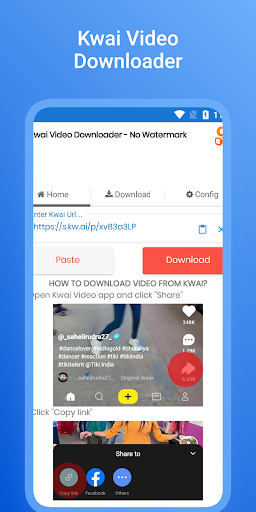
Use ‘Copy Link’ to download video
- Step 1: Open Kwai app and click on the "Copy Link" of the video you want to download.
- Step 2: Open Kwai Video Downloader.
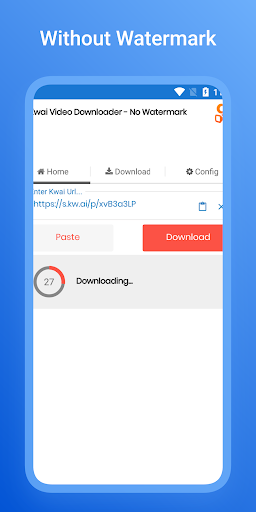
- Step 3: Video Downloader for Kwai will detect copied videos automatically.
- Done! Your video will begin downloading.
This way, you can enjoy downloaded videos anytime, anywhere, or share with your friends.
Where are those downloaded videos stored?
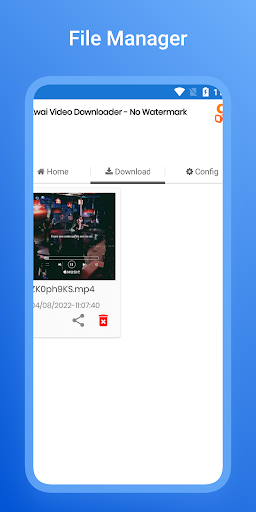
- All downloaded videos are saved in your "Downloaded video list" or local storage of your phone.
Want to download and manage HD videos from Kwai ?
HD Video Downloader for Kwai - Free & No watermark is definitely what you want!
Notes:
- Any unauthorized downloading or re-uploading of contents and/or violations of Intellectual property rights is the sole responsibility of the user.