Screen Recorder with Audio


Screen Recorder with Audio Summary
Screen Recorder with Audio is a ad-supported Android app in Video Players by Digimob Apps. Released in Feb 2024 (2 years ago). It has about 28K+ installs and 308 ratings with a 4.34★ (good) average. Based on AppGoblin estimates, it reaches roughly 1.4K monthly active users and generates around $<10K monthly revenue (0% IAP / 100% ads). Store metadata: updated Jan 27, 2026.
Recent activity: 117 installs this week (519 over 4 weeks) showing steady growth , and 3.00 new ratings this week View trends →
Store info: Last updated on Google Play on Jan 27, 2026 .
4.34★
Ratings: 308
Screenshots

App Description
Record screen with audio & facecam. Edit videos with tools & effects.
🎥 All-in-One Screen Recorder & Video Editor with Facecam
Create professional-quality videos with Screen Recorder with Facecam – the powerful and lightweight app to record your screen, capture internal audio, and edit videos with advanced tools.
Perfect for gamers, educators, YouTubers, streamers, or anyone who wants to record phone activity with ease.
✅ Top Features:
🔴 HD Screen Recorder
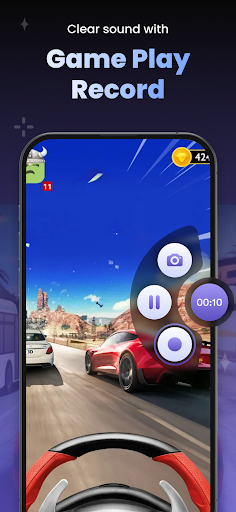
Record mobile screen in high resolution (1080p, 60fps) with clear audio.
🎤 Internal & External Audio
Capture mic audio or internal system sound while recording.
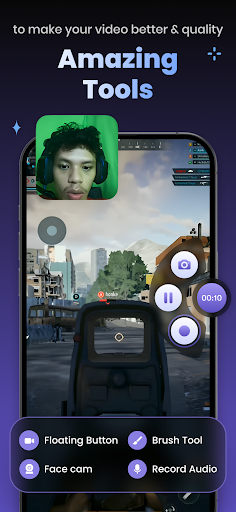
📸 Facecam Recorder
Add your face using the front camera during recording – ideal for tutorials and gameplay.
✂️ Built-in Video Editor
Cut, trim, merge, add music, stickers, text, or filters to your recorded videos.
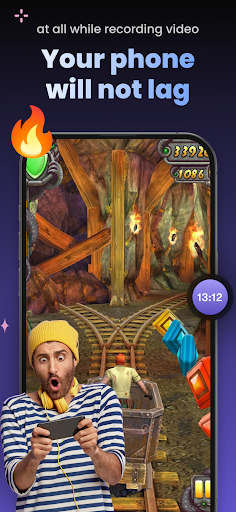
🎮 Game Recorder Mode
Smooth performance for game recording with facecam overlay.
📂 Floating Control Panel
Start/stop/pause easily with an on-screen floating button.
🌙 No Watermark & No Time Limit
Record freely with no branding or restrictions.
📤 Easy Sharing
Share your videos directly to YouTube, WhatsApp, Instagram, and more.
🎯 Why Choose Our Screen Recorder App?
Lightweight and fast
Supports Android 10+ internal audio recording
Multi-purpose: for screen tutorials, gaming, app reviews, or video lessons
Trusted by video creators and content makers
🛠️ How to Use:
Open the app and grant necessary permissions
Choose recording options: resolution, audio, facecam, etc.
Tap start recording
Use the floating control bar to pause/stop
🎬 Start creating content like a pro with this all-in-one screen recorder and video editor with facecam.