UnApp — Batch Uninstall Apps


UnApp — Batch Uninstall Apps Summary
UnApp — Batch Uninstall Apps is a with in-app purchases Android app in Productivity by pohrebniakov. Released in Sep 2018 (7 years ago). It has about 426.2K+ installs and 1.6K ratings with a 3.63★ (average) average. Based on AppGoblin estimates, it reaches roughly 7.2K monthly active users and generates around $<10K monthly revenue (100% IAP / 0% ads). Store metadata: updated Aug 22, 2024.
Recent activity: 288 installs this week (2.5K over 4 weeks) showing steady growth View trends →
Store info: Last updated on Google Play on Aug 22, 2024 .
3.63★
Ratings: 1.6K
Screenshots

App Description
Uninstall app with uninstaller app that allows you batch uninstall apps
IMPORTANT: UnApp doesn’t allow you to uninstall system apps, it only allows you to uninstall downloaded apps.
Uninstall app with uninstaller app that allows you batch uninstall apps 🚀
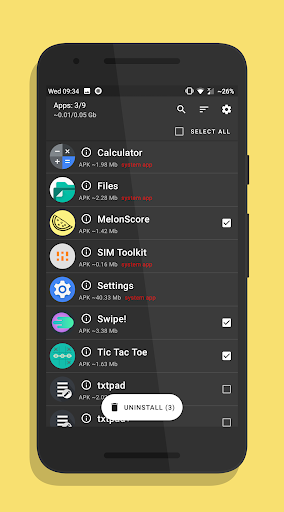
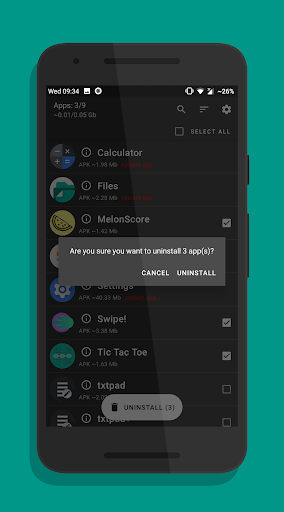
UnApp — it's an app that allows you to select multiple apps to remove them from your phone or tablet and free up memory space. You can select multiple apps and uninstall them from your phone. It will be faster than uninstall them one by one. Also, UnApp shows info for each app.
Batch uninstall app you don't need with UnApp - easy uninstaller app for Android.
Is this the best uninstaller app Android can get? Find out yourself.
Also, this app doesn't ask for root access, but you won't be able to uninstall system apps. If you don't want to see system apps in the list, you can hide them in UnApp settings. Improve the performance of your phone or tablet by freeing up memory space by uninstalling unnecessary apps and other garbage, which slow down your Android device.
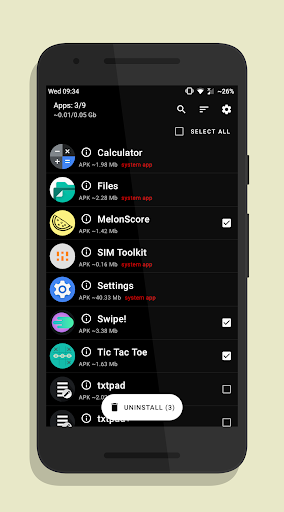
You can use the search to find the apps you want to uninstall. You can sort apps by the size of their APKs or by their name in ascending order and descending order. You can select apps using a checkbox one by one or you can select all your apps using the checkbox at the top.
Also, you can turn on dark and AMOLED theme if you upgrade to Premium.