Active Point Watch Face

Active Point Watch Face Summary
Active Point Watch Face is a ad-supported, with in-app purchases Android app in Personalization by RichFace. Released in Nov 2017 (8 years ago). It has about 116K+ installs and 592 ratings with a 3.45★ (mixed) average. Based on AppGoblin estimates, it reaches roughly 395 monthly active users and generates around $<10K monthly revenue (43% IAP / 57% ads). Store metadata: updated Oct 13, 2024.
Recent activity: 48 installs this week (203 over 4 weeks) showing steady growth , and 2.00 new ratings this week View trends →
Data tracking: SDKs and third-party integrations were last analyzed on Apr 10, 2026. The app's network data flows (API traffic to/from the app and its SDKs) were last crawled on Mar 28, 2026.
Store info: Last updated on Google Play on Oct 13, 2024 .
Active Point Watch Face was last scanned for SDKs 2026-04-10. Below is the overview of third party companies detected in the app. The full list of raw SDKs, app permissions and unknown SDKs is available here.
 Jake Wharton
 Square
 Bumptech
 Greenrobot
 Firebase
 AdMob
AdMob Google
3.45★
Ratings: 592
Screenshots

App Description
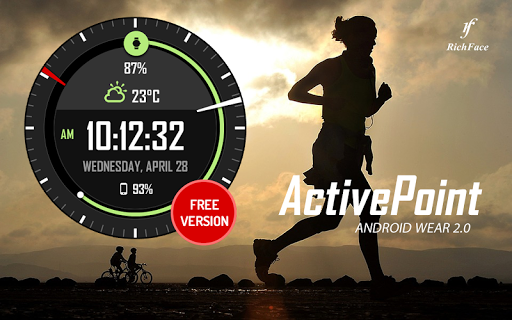
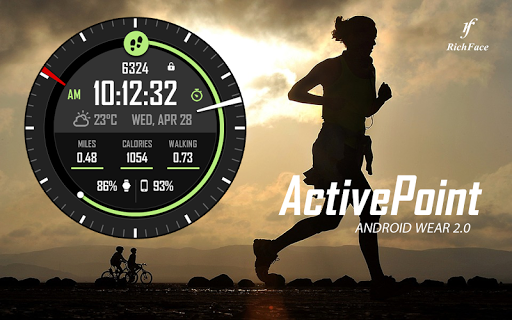
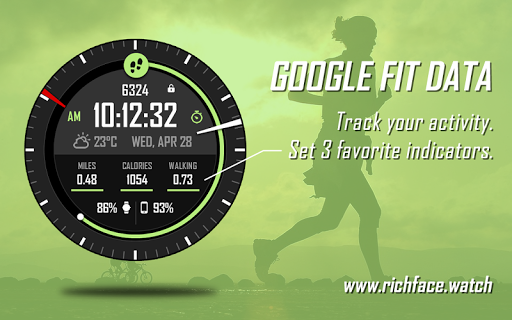
Multifunctional sporty digital watch face with 3 FIT complications
Watch Face Active Point for Wear OS is true eye-catcher with sport characteristics and interactive functions.
Watch face contains a huge number and user friendly settings on the watch and the phone companion app.
★ Watch Face Active Point is fully Wear OS supported
★ Wear OS 2.0 integration
• Fully standalone! (iPhone and Android compatible)
• External complication data for the indicators
★ Compatible with all Android WearOS watches
★ Free version ★
Complications:
• Phone battery
• Watch batter
• Weather
Options:
• Change color
• 24 hour format
• Leading zero
• Screen time
★ NEW option for paid version ★
• Vibrate on every hour
★ Paid version ★
Built-in complications
• Steps
• Distance
• Walking
• Running
• Biking
• Calories
• Fit statistics
Options:
• External complications
• Change color
• 24 hour format
• Leading zero
• Screen time
• Forecast
• Full ambient mode option
• Change color preset on tap
• Show/hide hour hands option
• Tap indicator
• Weather settings (location, providers, frequency update, units)
★ DISCLAIMER ★
The free version doesn't have a tap functionality. It just shows data and the user is not able to change it until unlock the PREMIUM version.
The phone battery indicator works only if you connect the smartwatch to Android phone device.
★ FAQ
!! Please contact us if you have any trouble with the app !!
richface.watch@gmail.com
How do I install the watch face on Wear OS?
1. Install it from Google Play Wear Store on your smartwatch.
2. Install the companion app for fully customization (Android phone devices).
★ PERMISSIONS Explained
https://www.richface.watch/privacy