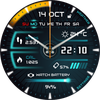

Inventor Watch Face

10.3K installs
230 ratings
+3.00 weekly installs
+42 monthly installs
Inventor Watch Face icon

ASO Keyword Dashboard

Tracking 161 keywords for Inventor Watch Face in Google Play

Developer: RichFace Category: personalization Rating: 4.02

Inventor Watch Face tracks 161 keywords (no keywords rank yet; 161 need traction). Key metrics: opportunity 70.5, difficulty 47.3.

Futuristic designed watch face for WearOS 3.0 smartwatches

Tracked keywords

161

0  ranked •  161  not ranking yet

Top 10 coverage

Best rank — • Latest leader —

Avg opportunity

70.5

Top keyword: faces

Avg difficulty

47.3

Lower scores indicate easier wins

Opportunity leaders

  • faces

    Opportunity: 75.0 • Difficulty: 40.5 • Rank —

    Competitors: 392

    63.7
  • sensor

    Opportunity: 74.0 • Difficulty: 38.4 • Rank —

    Competitors: 331

    60.7
  • etc

    Opportunity: 74.0 • Difficulty: 40.2 • Rank —

    Competitors: 358

    62.1
  • counter

    Opportunity: 74.0 • Difficulty: 41.1 • Rank —

    Competitors: 677

    63.5
  • android phone

    Opportunity: 74.0 • Difficulty: 60.0 • Rank —

    Competitors: 513

    62.6

Unranked opportunities

  • faces

    Opportunity: 75.0 • Difficulty: 40.5 • Competitors: 392

  • sensor

    Opportunity: 74.0 • Difficulty: 38.4 • Competitors: 331

  • etc

    Opportunity: 74.0 • Difficulty: 40.2 • Competitors: 358

  • counter

    Opportunity: 74.0 • Difficulty: 41.1 • Competitors: 677

  • android phone

    Opportunity: 74.0 • Difficulty: 60.0 • Competitors: 513

High competition keywords

  • new

    Total apps: 371,209 • Major competitors: 23,704

    Latest rank: — • Difficulty: 58.7

  • free

    Total apps: 319,303 • Major competitors: 24,179

    Latest rank: — • Difficulty: 58.8

  • find

    Total apps: 305,380 • Major competitors: 17,623

    Latest rank: — • Difficulty: 58.5

  • designed

    Total apps: 262,333 • Major competitors: 8,505

    Latest rank: — • Difficulty: 53.7

  • every

    Total apps: 260,684 • Major competitors: 14,547

    Latest rank: — • Difficulty: 56.0

All tracked keywords

Includes opportunity, difficulty, rankings and competitor benchmarks

Major Competitors
free651005988

319,303 competing apps

Median installs: 5,737

Avg rating: 2.7

24,179

major competitor apps

play661006085

205,447 competing apps

Median installs: 7,468

Avg rating: 2.8

20,225

major competitor apps

new651005989

371,209 competing apps

Median installs: 3,194

Avg rating: 2.6

23,704

major competitor apps

weather721005570

23,483 competing apps

Median installs: 3,449

Avg rating: 2.7

1,533

major competitor apps

follow691005278

81,990 competing apps

Median installs: 1,667

Avg rating: 2.5

4,379

major competitor apps

mode691005677

68,447 competing apps

Median installs: 5,429

Avg rating: 2.7

5,753

major competitor apps

ready681005480

107,082 competing apps

Median installs: 3,646

Avg rating: 2.6

9,255

major competitor apps

change681005279

90,150 competing apps

Median installs: 4,934

Avg rating: 2.6

6,347

major competitor apps

version701005476

56,727 competing apps

Median installs: 5,026

Avg rating: 2.7

3,370

major competitor apps

order671005282

140,997 competing apps

Median installs: 579

Avg rating: 2.3

4,309

major competitor apps

device681006080

107,235 competing apps

Median installs: 3,441

Avg rating: 2.5

6,762

major competitor apps

phone671006083

151,651 competing apps

Median installs: 3,620

Avg rating: 2.6

9,447

major competitor apps

external731004767

16,615 competing apps

Median installs: 1,550

Avg rating: 2.6

916

major competitor apps

party721005370

24,884 competing apps

Median installs: 5,924

Avg rating: 2.7

2,304

major competitor apps

support671005583

168,477 competing apps

Median installs: 1,602

Avg rating: 2.5

7,938

major competitor apps

contact671005482

137,656 competing apps

Median installs: 1,871

Avg rating: 2.4

6,275

major competitor apps

active711004872

32,278 competing apps

Median installs: 1,874

Avg rating: 2.5

1,490

major competitor apps

heart711004774

42,284 competing apps

Median installs: 1,028

Avg rating: 2.2

1,594

major competitor apps

wear711006172

32,418 competing apps

Median installs: 372

Avg rating: 1.9

871

major competitor apps

wearos721003253

2,047 competing apps

Median installs: 158

Avg rating: 1.4

12

major competitor apps

design681005280

98,733 competing apps

Median installs: 2,016

Avg rating: 2.4

4,871

major competitor apps

sensor741003861

6,441 competing apps

Median installs: 2,046

Avg rating: 2.3

331

major competitor apps

wear os721006070

24,149 competing apps

Median installs: 285

Avg rating: 1.7

298

major competitor apps

permission731005068

17,800 competing apps

Median installs: 11,745

Avg rating: 2.6

1,848

major competitor apps

designed651005486

262,333 competing apps

Median installs: 867

Avg rating: 2.2

8,505

major competitor apps

161 keywords
1 of 7

App Description

Futuristic designed watch face for WearOS 3.0 smartwatches

Inventor Watch Face is fully Wear OS 3.0 supported

Clean futuristic design with new additional features such as Bezel shortcuts, beep sound on every hour, auto HeartRate, etc ....

This watch face supports only WearOS by Google.
NOT SUPPORTED: Samsung S2/S3/Watch on Tizen OS, Huawei Watch GT/GT2, Xiaomi Amazfit GTS, Xiaomi Pace, Xiaomi Bip and others watches.

★  How to select a complication in the desired position

- Long tap on the watch face
- System shows icon "gear" for the watch face settings. Tap on it
- Select "Customize" option
- Select "Complications" option
- Select the desired position
- Select built-in complication or
- Select "External Complication"
• Select any third party complication
You are ready to go.

★ DISCLAIMER ★
The FREE version doesn't have a tap functionality. It just shows data and the user is not able to change it until unlock the PREMIUM version.
The FREE version has basic options such as phone battery and watch battery indicators. The phone battery requires the connection with Android Phone device.

★ NEW options (Premium) ★
• Vibrate on every hour
• Beep sound on every hour
• Auto HeartRate monitor
• Bezel shortcuts:
• Alarm
• Settings
• Find phone
• Stopwatch
• Map *(Google Map needs to be installed on the smartwatch)
• Flashlight
• Timer

★ NEW Bezel shortcuts (Premium)
Bezel shortcuts gives you more options to add on your screen without removing any of current complication positions
Currently, we are supporting followed shortcuts:
• Alarm
• Settings
• Find phone
• Stopwatch
• Map *(Google Map needs to be installed on the smartwatch)
• Flashlight
• Timer

★ Wear OS 3.0 support!
• Fully standalone! (iPhone and Android compatible)
• External complication data for the indicators

★ Compatible with all WearOS smartwatches (Premium)
• External complications
• Change color
• 24 hour format
• Leading zero
• Screen time
• Show/Hide hands
• Forecast
• Full ambient mode option
• Change color preset on tap
• Tap indicator
• Google FIT integration
• Weather settings (location, providers, frequency update, units)
• NEW! Bezel shortcuts
• Beep sound on every hour (hour chime)
• Vibrate on every hour

Google Fit complications (Premium) (requires Google Fit authorisation) :
• Steps
• Distance
• Walking
• Running
• Biking
• Calories
• Fit statistics
• Water counter
• Coffee counter

★ Device sensor complications:
• Heart Rate monitor complication
• Built-in Steps counter complication

★ FAQ
Q: Do your watch faces support Samsung Active 4 and Samsung Active 4 Classic?
A: Yes, our watch faces supports WearOS smartwatches.

Q: How to install the watch face?
A: Follow these steps:
1. Open the Google Play Store app on your watch
2. Search for the watch face
3. Press the install button


Q: I bought the app on my phone, do I have to buy it again for my watch?
A: You should not have to buy it again. Sometimes the Play Store takes a bit longer to figure out that you already bought the app. Any additional order will automatically be refunded by Google, you will receive the money back.

Q: Why I can not see steps or activity data in a built-in complication?
A: Some of our watch faces come with Built-in steps and Google Fit steps. If you select built-in steps, ensure that you grant activity recognition permission. If you select Google Fit steps complication, please use the watch face companion app where you can grant permission on Google Fit to log your data.

Other FAQ find here:
https://richface.watch/faq

!! Please contact us if you have any trouble with the app !!
richface.watch@gmail.com

★ PERMISSIONS Explained
https://www.richface.watch/privacy