Word to PDF Converter


Word to PDF Converter Summary
Word to PDF Converter is a mobile Android app in Productivity by Bin Tahir Developer. Released in Apr 2026 (1 month ago). It has about 9.00+ installs Based on AppGoblin estimates, it reaches roughly 9.00 monthly active users . Store metadata: updated Apr 27, 2026.
Recent activity: 9.00 installs this week (9.00 over 4 weeks) View trends →
Store info: Last updated on Google Play on Apr 27, 2026 .
0★
Ratings: 0
Screenshots

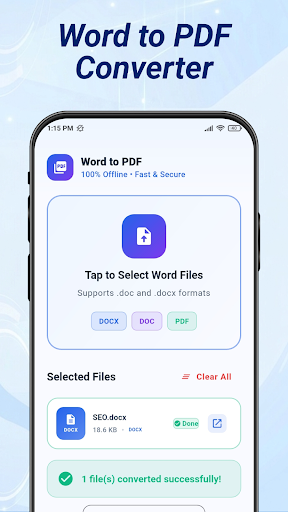


App Description
Convert Word to PDF to Docx to PDF, Doc to PDF, & Word to PDF converter
Looking for a fast and reliable Word to PDF Converter? Experience seamless document management with our powerful Word to PDF app. Whether you are a student, professional, or business owner, this app is designed to help you Convert Word to PDF with high accuracy and zero formatting loss.
Our smart Word to PDF Converter ensures that your documents, reports, and assignments are transformed into professional PDF files in just a few taps. No more struggling with complicated software—now you can Convert Docx to PDF directly from your smartphone anytime, anywhere.
Key Features of Word to PDF Converter:
Fast & Accurate Conversion: Turn any Word file into a high-quality PDF instantly.
Maintain Formatting: Our PDF Maker preserves original fonts, images, and layouts.
Docx to PDF Support: Easily handle both .doc and .docx formats.
Offline Mode: Use our Word to PDF Offline feature to convert files without using data.
Batch Processing: Need to convert multiple files? Use the batch PDF Converter tool to save time.
Secure & Private: Your documents are processed securely, ensuring your data remains private.
Easy Sharing: Once you Convert Word to PDF, share your files via email, WhatsApp, or cloud storage directly from the app.
Why Choose Our PDF Converter?
This is not just a simple Doc to PDF tool; it is a complete office utility. We have optimized the engine to ensure that even large files are processed quickly. If you need a reliable Mobile Word to PDF solution that works every time, this app is for you.
How to Use:
Select your Word (.doc or .docx) file from your device.
Tap the "Convert" button.
Wait a few seconds for the Word to PDF Converter to work its magic.
Preview and save your PDF file!
Whether you need a PDF Creator from Word for school projects or professional business contracts, our app delivers "High Quality PDF" results every time.
Download the Word to PDF Converter today and make document management easy!